Design Autocomplete for Search
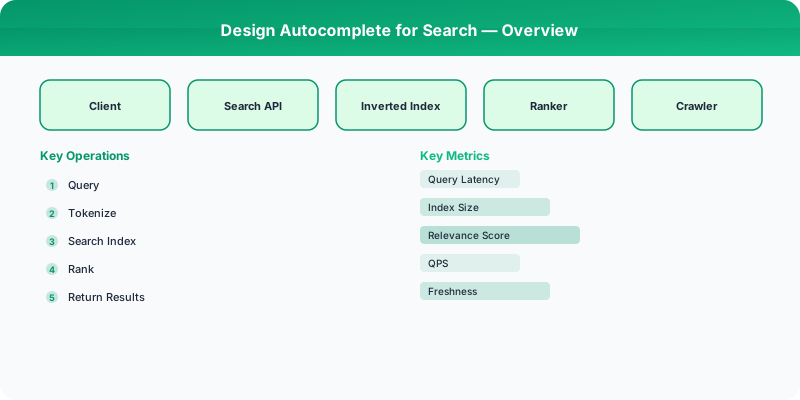
Design a search autocomplete/typeahead system using Trie data structures, prefix matching, and ranking.
Problem Statement
Design a search autocomplete (typeahead) system that returns the top suggestions as a user types each character. The system must serve suggestions with sub-100ms latency for billions of queries per day, ranking results by popularity, recency, and personalization.
Requirements
Functional
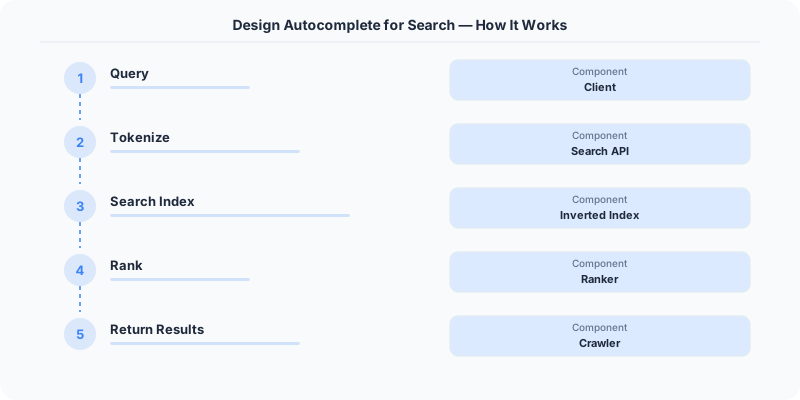
- Return top-k (e.g., 10) prefix-matched suggestions as the user types
- Rank suggestions by popularity, freshness, and optionally user history
- Support multi-language queries and handle typos gracefully
- Update suggestion corpus as new trending queries emerge
Non-Functional
- Latency: <100ms p99 per keystroke
- Availability: 99.99% uptime -- degraded suggestions are better than none
- Scale: 500M daily active users, ~10B queries/day, peak 200K QPS
Core Architecture
-
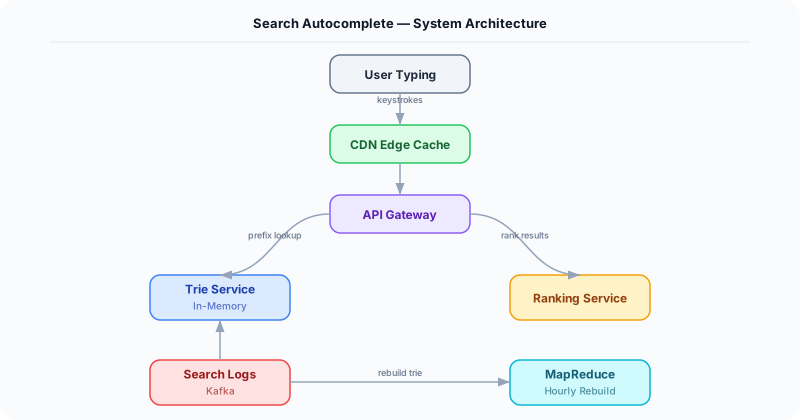
Trie Service -- In-memory distributed Trie storing top-k suggestions at each prefix node. Each node holds a sorted list of up to 25 candidates with their scores. Tries are partitioned by first two characters across nodes.
-
Ranking Aggregator -- Offline MapReduce pipeline that processes query logs every 15 minutes. Computes popularity scores using exponential time decay: score = count * 0.95^(hours_since_query). Rebuilds Trie snapshots.
-
Sampling Collector -- Logs a sampled subset (1-in-1000) of all queries to avoid overwhelming storage. Feeds into the Ranking Aggregator. Stored in append-only log (Kafka topic).
-
Zookeeper Coordination Layer -- Manages Trie partition assignment across nodes. Handles leader election for Trie rebuild. Coordinates rolling Trie snapshot deployments.
-
CDN/Edge Cache -- Most popular prefixes (a, th, the, wh, ...) are cached at CDN edge nodes with 5-minute TTL. Handles ~30% of all requests without reaching the Trie service.
Database Choice
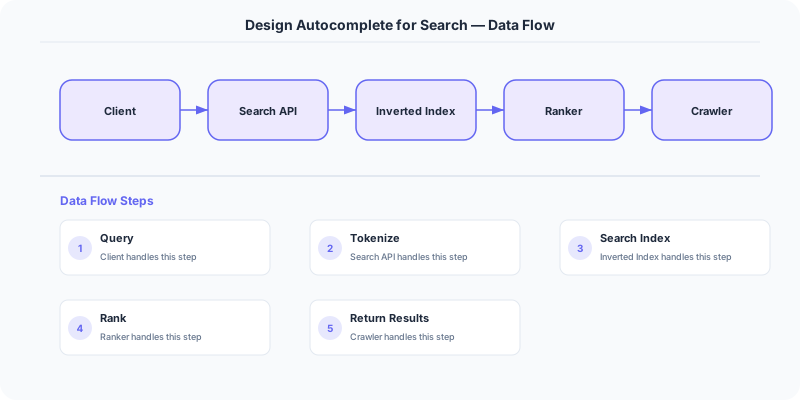
Trie storage: In-memory data structure (custom or Redis-based) for serving. The Trie is rebuilt offline and serialized as a binary snapshot loaded at startup. Raw query logs are stored in HDFS/S3 for batch processing. Metadata (query-to-score mappings) lives in Cassandra for its write-heavy, append-friendly nature.
Key API Endpoints
GET /api/v1/suggestions?prefix=\{query\}&limit=10&lang=en
  -> Returns: \{ suggestions: ["search term 1", "search term 2", ...], latency_ms: 12 \}

POST /api/v1/queries (internal - from sampling collector)
  -> Body: \{ query: "full search term", timestamp: 1700000000, user_id?: "abc" \}
Scaling Insight
The key scaling trick is two-level caching with prefix partitioning. Short prefixes (1-2 chars) generate massive fan-out and are cached at the CDN edge. Longer prefixes hit the Trie service, which is partitioned by the first two characters of the prefix. This means "go" and "goo" and "google" all hit the same Trie partition. With 26^2 = 676 possible two-char prefixes, you can distribute across ~100 machines with good load balance. Hot prefixes get additional replicas.
Key Tradeoffs
| Decision | Option A | Option B | Chosen |
|---|---|---|---|
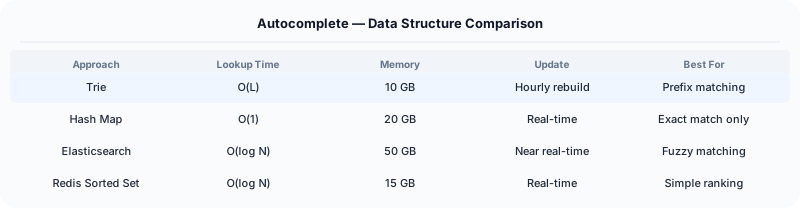
| Data Structure | Trie (prefix tree) | Inverted index | Trie -- O(L) lookup where L=prefix length, naturally supports prefix matching |
| Update Frequency | Real-time per query | Batch every 15 min | Batch -- simpler, avoids write contention on Trie nodes, 15-min lag acceptable |
| Ranking | Global popularity only | Personalized per user | Hybrid -- global Trie + client-side re-ranking with user history for top results |
Practical Implementation for .NET Developers
In a .NET application, you would typically implement this pattern using the following approach:
ASP.NET Core setup: Create a service class that encapsulates the logic, register it with dependency injection, and inject it into your controllers or minimal API endpoints. The built-in DI container handles lifecycle management.
Entity Framework Core: For database interactions, EF Core provides the ORM layer. Use migrations for schema management and raw SQL for performance-critical queries. Consider Dapper for read-heavy paths where EF Core's overhead matters.
Azure integration: If deploying to Azure, leverage managed services — Azure Cache for Redis, Azure SQL, Azure Service Bus, Azure Cosmos DB. These eliminate operational overhead and provide built-in monitoring through Application Insights.
Testing: Use xUnit with Testcontainers for integration tests that spin up real databases in Docker. Mock external dependencies with NSubstitute. The WebApplicationFactory class lets you test your entire HTTP pipeline in-process.
Monitoring: Add Application Insights telemetry to track request latency, dependency calls, and custom metrics. Use structured logging with Serilog to make production debugging possible:
Log.Information("Processing order {OrderId} for {CustomerId}", orderId, customerId);
This gives you searchable, structured logs in Azure Monitor or Seq.
System-Specific Clarifying Questions
Before designing Autocomplete, ask questions specific to THIS system:
- Who are the primary users? Understanding the user base shapes every technical decision — consumer apps have different requirements than enterprise B2B systems.
- What is the read-to-write ratio? This determines whether you optimize for fast reads (caching, denormalization) or fast writes (write-ahead logs, async processing).
- What is the geographic distribution? Users in one country vs. global users fundamentally changes your data replication and CDN strategy.
- What is the acceptable latency? Some features need sub-100ms responses, others can tolerate seconds. This determines your caching and architecture strategy.
- What is the consistency requirement? Some data (payments, inventory) needs strong consistency. Other data (social feeds, recommendations) can be eventually consistent.
Architecture Deep Dive
The architecture for Autocomplete should be designed around the specific access patterns of the system. Do not apply generic templates — every system has unique hotspots, bottlenecks, and scaling challenges.
Write Path: How does data enter the system? Is it bursty (event-driven, flash sales) or steady (sensor data, logs)? Bursty writes need queuing and backpressure. Steady writes can go directly to the database.
Read Path: How is data consumed? Is it fan-out (one write, many reads like social feeds) or point lookups (one read for specific data like user profiles)? Fan-out reads benefit from pre-computation and caching. Point lookups benefit from efficient indexing.
Hot Spots: Where are the bottlenecks? For Autocomplete, identify the component that will fail first under load and design mitigation strategies: caching, sharding, rate limiting, or async processing.