Autoscaling: Metrics, Policies, Kubernetes HPA and Cloud Scaling
Learn autoscaling for system design: CPU and queue metrics, target tracking, Kubernetes HPA, warm pools, cooldowns, and cost-performance tradeoffs.
Quick answer: Autoscaling: Metrics, Policies, Kubernetes HPA and Cloud Scaling
Autoscaling: Metrics, Policies, Kubernetes HPA and Cloud Scaling is covered here as a practical system design concept. Learn autoscaling for system design: CPU and queue metrics, target tracking, Kubernetes HPA, warm pools, cooldowns, and cost-performance tradeoffs. Use it to understand the Core Concepts idea, where it appears in production systems, and how to discuss it clearly in interviews.
Focus on the problem being solved, the main design choice, the failure mode, and the tradeoff you would defend in front of a senior engineer. This page is part of the DosiBridge system design knowledge graph, so it links related concepts, interview problems, tradeoffs, and references instead of leaving the topic isolated.
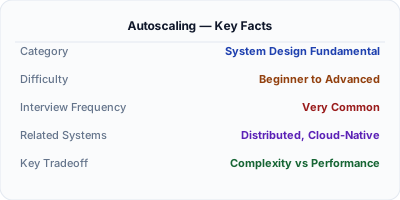
Autoscaling adds or removes compute resources automatically based on real-time demand. When traffic spikes, new instances spin up in minutes. When traffic drops, excess instances are terminated to save cost. Without autoscaling, you either over-provision (wasting money 90% of the time) or under-provision (crashing during peaks). Every major cloud provider offers autoscaling: AWS Auto Scaling Groups, GCP Managed Instance Groups, Azure VMSS. The challenge is choosing the right metrics, cooldown periods, and scaling policies to avoid flapping.
| Aspect | Details |
|---|---|
| What it is | Automatic adjustment of compute capacity based on real-time metrics like CPU utilization, request count, or custom signals |
| When to use | Web services with variable traffic patterns, batch processing with dynamic workloads, any cloud deployment with cost sensitivity |
| When NOT to use | Stateful services that cannot be easily replicated, systems with predictable constant load, or databases (scale differently) |
| Real-world example | Netflix auto-scales thousands of microservice instances based on request rates, maintaining sub-100ms P99 latency during peak |
| Interview tip | Discuss both scale-out triggers (when to add) and scale-in policies (when to remove) — most candidates forget scale-in |
| Common mistake | Scaling on CPU alone — a memory-bound or I/O-bound service can be at 100% memory with 20% CPU, and CPU-based scaling will not help |
| Key tradeoff | Responsiveness vs stability — aggressive scaling reacts fast but may flap (scale up/down repeatedly), wasting resources on instance churn |
Why This Matters
Cloud infrastructure bills are the second-largest engineering expense after salaries. Autoscaling optimizes this by matching capacity to demand. Netflix saves millions annually by scaling down overnight when US traffic drops. In system design interviews, autoscaling comes up when discussing how to handle 10x traffic spikes. The key is understanding horizontal scaling prerequisites: stateless services, externalized session state, and health checks that let the load balancer route traffic to new instances immediately.
The Building Blocks
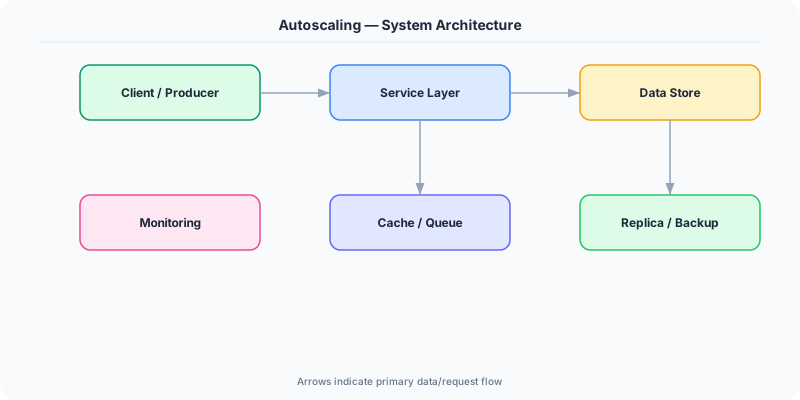
- Scaling Metrics: CPU utilization (most common), request count per target, queue depth (SQS), custom metrics (P99 latency). Choose metrics that correlate with user-visible impact.
- Scale-Out Policy: Rules that add capacity: 'Add 2 instances when CPU > 70% for 3 minutes.' The threshold, duration, and increment are tunable. Too aggressive causes flapping.
- Scale-In Policy: Rules that remove capacity: 'Remove 1 instance when CPU < 30% for 10 minutes.' Scale-in should be slower than scale-out — removing too fast causes thrashing.
- Cooldown Period: Minimum time between scaling actions. Prevents flapping: after adding instances, wait 5 minutes before evaluating again, giving new instances time to absorb load.
- Predictive Scaling: Uses historical traffic patterns to pre-provision capacity before expected spikes. Netflix pre-scales at 6 PM EST because US evening traffic is predictable.
- Warm Pool: Pre-initialized instances kept in a stopped state. When scaling triggers, warm pool instances start in seconds instead of minutes, reducing the gap between demand spike and capacity.
Under the Hood
Autoscaling operates in a control loop: monitor → evaluate → act. Every 60 seconds, CloudWatch (or equivalent) collects metrics from all instances. If the average CPU exceeds the threshold for the specified duration, the autoscaler calculates how many instances to add (based on target tracking: desired_capacity = current_capacity × (current_metric / target_metric)). It launches new instances from a launch template, waits for health checks to pass, and registers them with the load balancer.
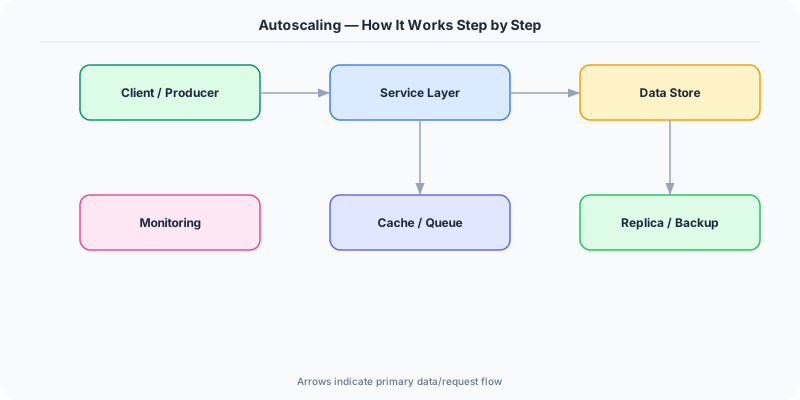
The most effective scaling policy is target tracking: "keep average CPU at 60%." The autoscaler continuously adjusts capacity up and down to maintain the target. This is simpler than step scaling (if CPU > 70% add 2, if CPU > 90% add 5) because it self-corrects.
For stateless services, autoscaling is straightforward — new instances are identical and immediately ready. For services with warm-up requirements (JVM, ML model loading), use a warm pool or lifecycle hooks that delay traffic until the instance reports healthy. The load balancer's health check is the gate: new instances do not receive traffic until they pass.
How Companies Actually Do This
Netflix auto-scales thousands of services based on regional demand patterns. They pre-scale at 6 PM EST for the evening viewing peak and scale down at 2 AM, saving millions in compute annually.
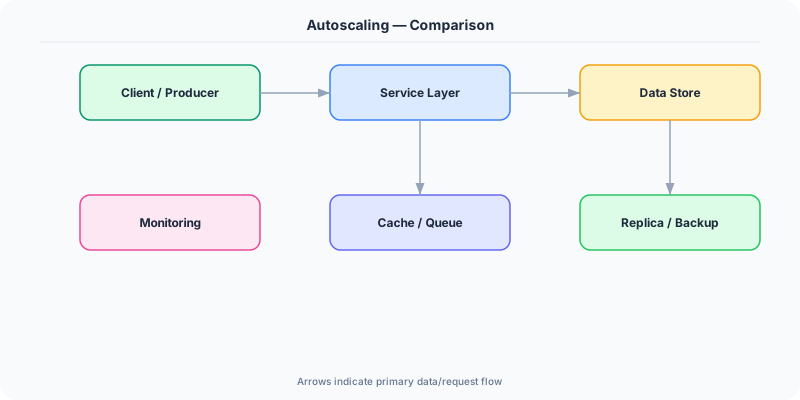
Spotify uses Kubernetes Horizontal Pod Autoscaler (HPA) for their microservices. Custom metrics from Prometheus (requests per second, queue depth) trigger pod scaling within 30 seconds.
Uber scales ride-matching services based on real-time demand. During New Year's Eve, instances scale 10x within minutes to handle the midnight surge, then scale back by 3 AM.
Common Pitfalls
- Scaling on CPU when the bottleneck is memory, disk I/O, or external dependencies — CPU stays low while the service is already degraded
- Setting cooldown periods too short — instances scale up, metrics drop temporarily, instances scale down, metrics spike again, causing a flapping loop
- Not testing scale-down behavior — new instances start and handle traffic, but when they terminate, in-flight requests may be dropped if graceful shutdown is not implemented
Interview Questions Worth Practicing
- How would you design autoscaling for a service that handles 10x traffic spikes within 5 minutes?
- What metrics would you use to autoscale a message queue consumer versus a web server?
- How do you prevent autoscaling flapping, and what is the role of cooldown periods?
The Tradeoffs
- Cost vs Reliability: Aggressive scaling (low thresholds, fast response) ensures reliability but costs more due to over-provisioning during transient spikes. Conservative scaling saves money but risks brief degradation.
- Speed vs Stability: Fast scaling (no cooldown) responds quickly to spikes but risks flapping. Slow scaling (long cooldowns) is stable but may not react fast enough for sudden traffic surges.
- Horizontal vs Vertical: Horizontal autoscaling (more instances) works for stateless services. Vertical autoscaling (bigger instances) works for stateful workloads but requires restarts and has limits.
How to Explain This in an Interview
Here is how I would explain Autoscaling in a system design interview:
Autoscaling adjusts compute capacity based on real-time demand. I would implement it with target tracking: maintain average CPU at 60%. When traffic spikes, the autoscaler calculates how many instances to add to bring CPU back to 60% and launches them from a pre-configured template. New instances register with the load balancer after passing health checks. The cooldown period (5 minutes) prevents flapping. For predictable patterns like evening peak traffic, I would add predictive scaling that pre-provisions 30 minutes before the expected surge. For stateless services, horizontal autoscaling is straightforward. The prerequisites are: externalized state (Redis for sessions), health check endpoints, and graceful shutdown (drain connections before terminating). I would also set scale-in to be slower than scale-out — adding fast, removing cautiously.
Related Topics
Original DosiBridge notes for Autoscaling: Metrics, Policies, Kubernetes HPA and Cloud Scaling
This section is written specifically for this page, not copied from a general system-design checklist. The useful way to study Autoscaling: Metrics, Policies, Kubernetes HPA and Cloud Scaling is to connect the concept to a traffic-management problem where overload behavior matters more than the happy-path diagram. That framing changes the design discussion from definitions to operating choices.
What makes this topic distinct
- SLO: For Autoscaling: Metrics, Policies, Kubernetes HPA and Cloud Scaling, decide the SLO before choosing tools; otherwise the design looks clean but fails when autoscaling changes.
- Capacity Headroom: For Autoscaling: Metrics, Policies, Kubernetes HPA and Cloud Scaling, decide the capacity headroom before choosing tools; otherwise the design looks clean but fails when autoscaling changes.
- Failure Mode: For Autoscaling: Metrics, Policies, Kubernetes HPA and Cloud Scaling, decide the failure mode before choosing tools; otherwise the design looks clean but fails when autoscaling changes.
- Degradation Path: For Autoscaling: Metrics, Policies, Kubernetes HPA and Cloud Scaling, decide the degradation path before choosing tools; otherwise the design looks clean but fails when autoscaling changes.
- Operator Signal: For Autoscaling: Metrics, Policies, Kubernetes HPA and Cloud Scaling, decide the operator signal before choosing tools; otherwise the design looks clean but fails when autoscaling changes.
Production review question
If a team adopts Autoscaling: Metrics, Policies, Kubernetes HPA and Cloud Scaling, what observable signal proves it helped instead of only making the architecture diagram more fashionable?
Practical metric to track
Track autoscaling health as a named dashboard or review item: combine one user-facing metric, one saturation metric, and one correctness metric. For Autoscaling: Metrics, Policies, Kubernetes HPA and Cloud Scaling, this keeps the discussion grounded in behavior that can be measured after deployment instead of generic advice that sounds good in an interview but never gets verified.