Message Queues: RabbitMQ, SQS, Kafka and Async Processing
Master message queues for system design: producers, consumers, retries, dead-letter queues, ordering, backpressure, Kafka vs RabbitMQ, and tradeoffs.
Quick answer: Message Queues: RabbitMQ, SQS, Kafka and Async Processing
Message Queues: RabbitMQ, SQS, Kafka and Async Processing is covered here as a practical system design concept. Master message queues for system design: producers, consumers, retries, dead-letter queues, ordering, backpressure, Kafka vs RabbitMQ, and tradeoffs. Use it to understand the Async Communication idea, where it appears in production systems, and how to discuss it clearly in interviews.
Focus on the problem being solved, the main design choice, the failure mode, and the tradeoff you would defend in front of a senior engineer. This page is part of the DosiBridge system design knowledge graph, so it links related concepts, interview problems, tradeoffs, and references instead of leaving the topic isolated.
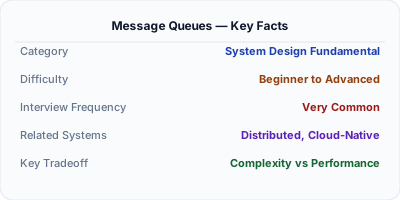
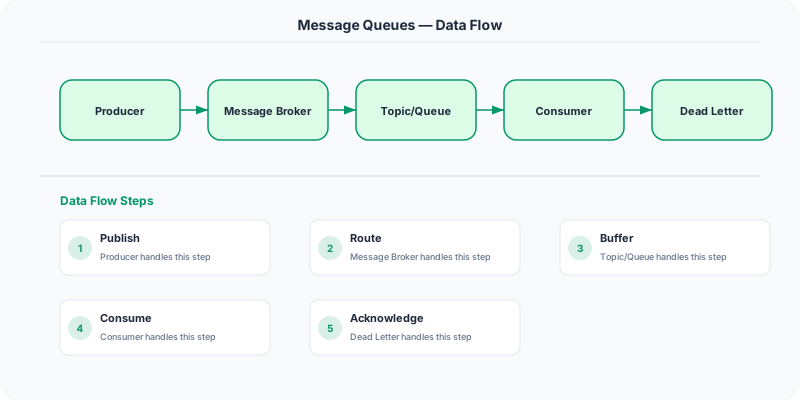
A message queue is a buffer that stores messages between a producer and a consumer, enabling asynchronous communication. The producer writes a message and continues without waiting. The consumer processes messages at its own pace. RabbitMQ handles complex routing, Amazon SQS provides managed simplicity, and Apache Kafka delivers high-throughput event streaming — each optimized for different workloads.
| Aspect | Details |
|---|---|
| What it is | Asynchronous buffer between producers and consumers for reliable message delivery |
| When to use | Background job processing, load leveling during traffic spikes, decoupling services, event streaming |
| When NOT to use | When you need an immediate synchronous response; simple request-reply between two services |
| Real-world example | LinkedIn built Kafka for 7+ trillion messages/day; Uber uses SQS for trip event processing at scale |
| Interview tip | Know queue vs topic: queue = one consumer gets each message; topic = all subscribers get every message |
| Common mistake | Not handling poison messages — one malformed message blocks the entire queue if not dead-lettered |
| Key tradeoff | Reliability and decoupling vs. added operational complexity and eventual consistency |
The Problem Message Queues Solves
Message queues decouple producers from consumers, handle traffic spikes by buffering, enable retry logic, and improve system reliability. They are used in virtually every microservices architecture.
How It Works Under the Hood
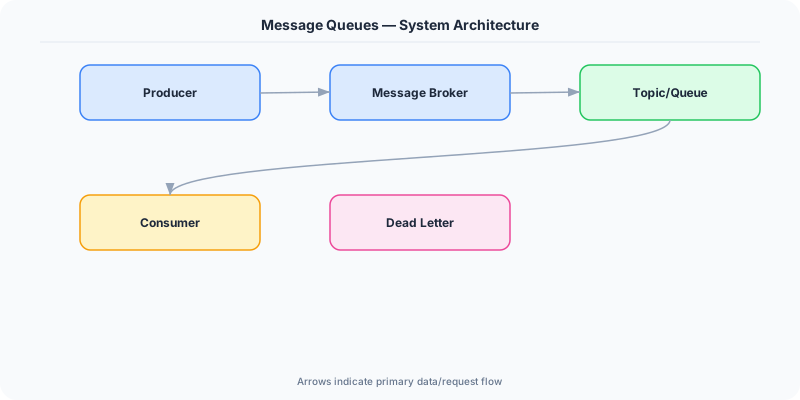
A message queue is a form of asynchronous communication between services where messages are stored in a queue and processed by a consumer. Unlike Pub/Sub (one-to-many), a message queue typically has one consumer per message (one-to-one). Examples: RabbitMQ, Amazon SQS, Apache Kafka.
When a user places an order: the order service writes a message to the 'order-processing' queue. A worker reads the message, processes payment, updates inventory, and sends a confirmation email. If the worker crashes mid-processing, the message is not ACK'd, so it returns to the queue and another worker picks it up.
This is much more reliable than synchronous processing — if the payment service is temporarily down, messages queue up instead of failing.
The Mental Model
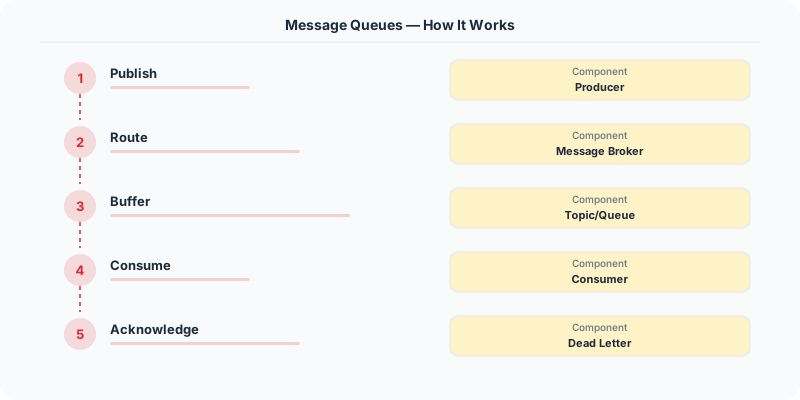
- Producer-Consumer: Producers write messages to a queue. Consumers read and process messages from the queue.
- FIFO: Messages are typically processed in order (first in, first out).
- Acknowledgment: After processing, the consumer sends an ACK. If no ACK is received, the message is redelivered to another consumer.
- Dead letter queue (DLQ): Messages that fail processing repeatedly are sent to a DLQ for manual inspection.
- Backpressure: If consumers are slower than producers, the queue grows. You can add more consumers or throttle producers.
Real Systems That Depend on This
Amazon SQS processes billions of messages per day. It is fully managed, scales automatically, and provides at-least-once delivery.
RabbitMQ is an open-source message broker supporting AMQP. Used by companies like Bloomberg, T-Mobile, and Instagram.
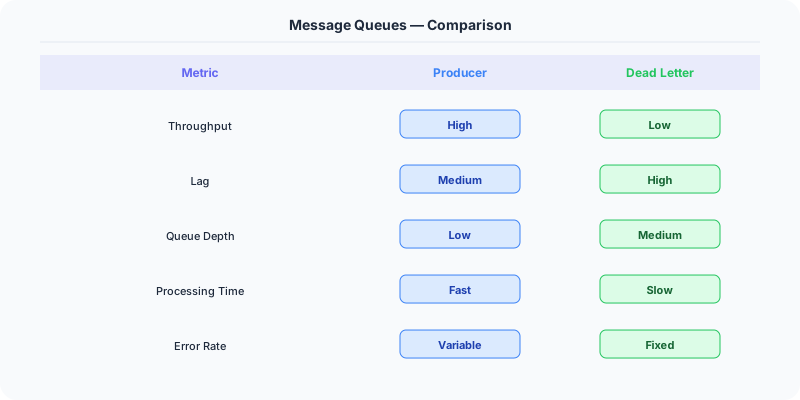
Apache Kafka blurs the line between message queue and Pub/Sub — it provides ordered, partitioned, replicated message logs.
Where This Shows Up in Interviews
- When would you use a message queue?
- What is the difference between a message queue and Pub/Sub?
- How do you handle message processing failures?
- What is a dead letter queue?
Tradeoffs
- Async vs Sync: Queues add latency (message sits in queue) but improve reliability and decouple services.
- At-least-once vs At-most-once: Most queues provide at-least-once. Exactly-once is hard and expensive.
- Ordering: Strict ordering limits throughput. Use partitioned queues for ordered per-partition.
Watch Out For
- Not implementing DLQ — poison messages loop forever
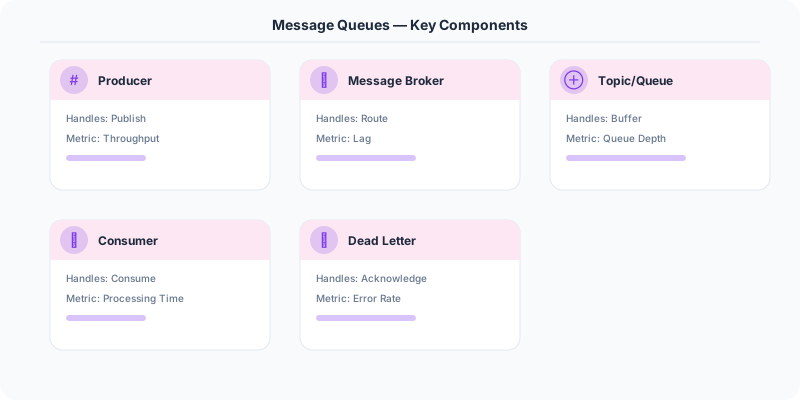
- Not monitoring queue depth — a growing queue means consumers are falling behind
- Processing messages without idempotency — retries cause duplicates
How to Explain This in an Interview
Here is how I would explain Message Queues in a system design interview:
A message queue sits between two services. The producer writes a message and immediately returns — it does not wait for the consumer to process it. This gives you three things interviewers care about: decoupling (producer does not know about consumer implementation), load leveling (queue absorbs traffic spikes so the consumer processes at a steady rate), and reliability (if the consumer crashes, messages wait in the queue until it recovers). In an interview, I would draw it as: Order Service → Queue → Payment Service. If payment processing is slow, orders still get accepted immediately. I would choose RabbitMQ for complex routing patterns and Kafka for high-throughput ordered event streaming.
Go Deeper
- Pub/Sub — start here if this is new to you
- Event-Driven vs Request-Driven
- Sync vs Async
- batch-vs-stream-processing
Message Queues in .NET
The .NET ecosystem has excellent message queue support:
Azure Service Bus — Microsoft's enterprise message broker, deeply integrated with .NET:
// Sending a message
var client = new ServiceBusClient(connectionString);
var sender = client.CreateSender("order-queue");
await sender.SendMessageAsync(new ServiceBusMessage(
    JsonSerializer.Serialize(new OrderCreatedEvent(orderId))
));

// Receiving messages
var processor = client.CreateProcessor("order-queue");
processor.ProcessMessageAsync += async args =>
    var order = JsonSerializer.Deserialize<OrderCreatedEvent>(
        args.Message.Body.ToString()
    );
    await ProcessOrder(order);
    await args.CompleteMessageAsync(args.Message);
MassTransit — the most popular .NET message bus abstraction. It works with RabbitMQ, Azure Service Bus, Amazon SQS, and Kafka through a unified API. Used by companies like Microsoft, FedEx, and GE Healthcare.
Background processing with .NET: Use IHostedService or BackgroundService for queue consumers. The worker runs in the same process as your web app or as a separate service. For production, Azure Functions with Service Bus triggers give you serverless queue processing with automatic scaling.
Real example: The .NET Foundation's NuGet.org processes package uploads asynchronously. When you publish a package, it goes to a queue. Worker services validate the package, extract metadata, generate documentation, and update the search index — all via message queues built on Azure Service Bus.
Original DosiBridge notes for Message Queues: RabbitMQ, SQS, Kafka and Async Processing
This section is written specifically for this page, not copied from a general system-design checklist. The useful way to study Message Queues: RabbitMQ, SQS, Kafka and Async Processing is to connect the concept to an asynchronous workflow where replay, ordering, and poison messages shape the architecture. That framing changes the design discussion from definitions to operating choices.
What makes this topic distinct
- SLO: For Message Queues: RabbitMQ, SQS, Kafka and Async Processing, decide the SLO before choosing tools; otherwise the design looks clean but fails when message changes.
- Capacity Headroom: For Message Queues: RabbitMQ, SQS, Kafka and Async Processing, decide the capacity headroom before choosing tools; otherwise the design looks clean but fails when queues changes.
- Failure Mode: For Message Queues: RabbitMQ, SQS, Kafka and Async Processing, decide the failure mode before choosing tools; otherwise the design looks clean but fails when message changes.
- Degradation Path: For Message Queues: RabbitMQ, SQS, Kafka and Async Processing, decide the degradation path before choosing tools; otherwise the design looks clean but fails when queues changes.
- Operator Signal: For Message Queues: RabbitMQ, SQS, Kafka and Async Processing, decide the operator signal before choosing tools; otherwise the design looks clean but fails when message changes.
Distinct angle: queues as controlled work buffers
Message queues are work buffers with ownership of retry, visibility timeout, and dead-letter handling. Unlike pub/sub, a queue usually represents a job that should be completed by one worker group. The practical design question is how long work can wait, how duplicates are handled, and what operators do when the queue grows faster than workers can drain it.
Production review question
If a team adopts Message Queues: RabbitMQ, SQS, Kafka and Async Processing, what observable signal proves it helped instead of only making the architecture diagram more fashionable?
Practical metric to track
Track message-queues health as a named dashboard or review item: combine one user-facing metric, one saturation metric, and one correctness metric. For Message Queues: RabbitMQ, SQS, Kafka and Async Processing, this keeps the discussion grounded in behavior that can be measured after deployment instead of generic advice that sounds good in an interview but never gets verified.