Kafka: A Distributed Messaging System for Log Processing
LinkedIn's distributed commit log that redefined event streaming — the foundation of modern real-time data pipelines.
Quick answer: Kafka: A Distributed Messaging System for Log Processing
Kafka: A Distributed Messaging System for Log Processing is covered here as a practical system design resource. LinkedIn's distributed commit log that redefined event streaming — the foundation of modern real-time data pipelines. Use it as a curated reference while connecting the original engineering lesson to practical system design decisions.
Focus on the problem being solved, the main design choice, the failure mode, and the tradeoff you would defend in front of a senior engineer. This page is part of the DosiBridge system design knowledge graph, so it links related concepts, interview problems, tradeoffs, and references instead of leaving the topic isolated.
Historical Context
Published by Jay Kreps, Neha Narkhede, and Jun Rao from LinkedIn in 2011 (NetDB Workshop), Kafka was created to solve LinkedIn's data pipeline problem. The company had dozens of systems producing activity data — page views, searches, profile updates — that needed to flow to analytics, monitoring, and offline processing systems. Existing message queues (ActiveMQ, RabbitMQ) could not handle LinkedIn's throughput (hundreds of thousands of messages per second) because they tracked per-message delivery state and were not designed for the replay and batch-consumption patterns that log processing demanded.
Core Problem
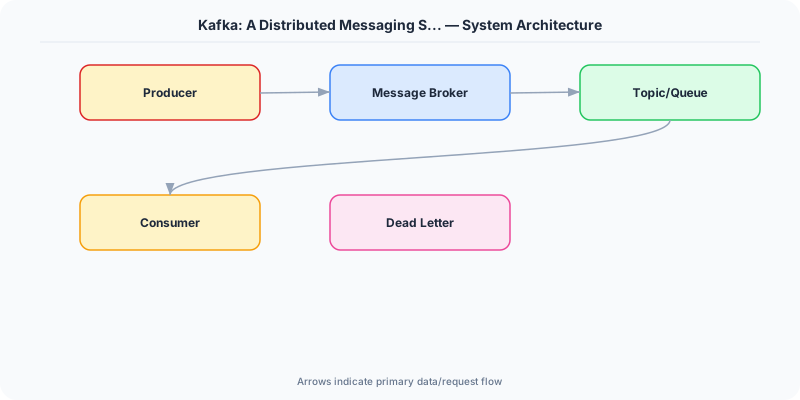
How do you build a messaging system that handles millions of events per second with low latency, supports both real-time consumption and batch replay, and scales horizontally without per-message delivery overhead?
Key Innovation
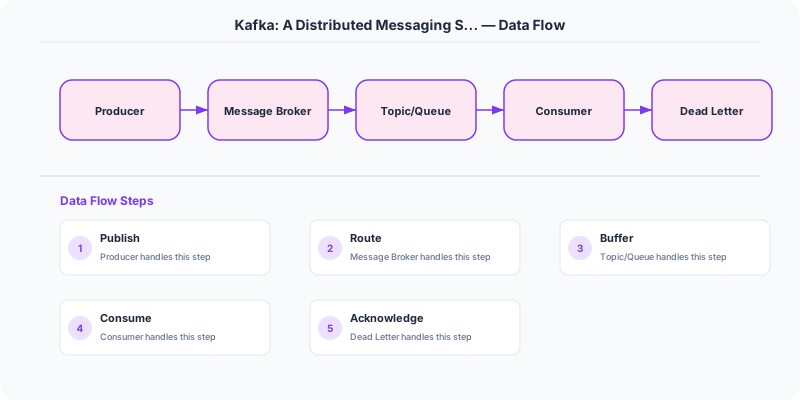
Kafka reimagined messaging as a distributed commit log rather than a message queue. Messages are appended to topics, each divided into partitions — ordered, immutable sequences of records. Producers append to partitions; consumers read by maintaining a simple offset (a position in the log). Because the broker does not track which messages have been delivered to which consumer, the overhead per message is trivially small.
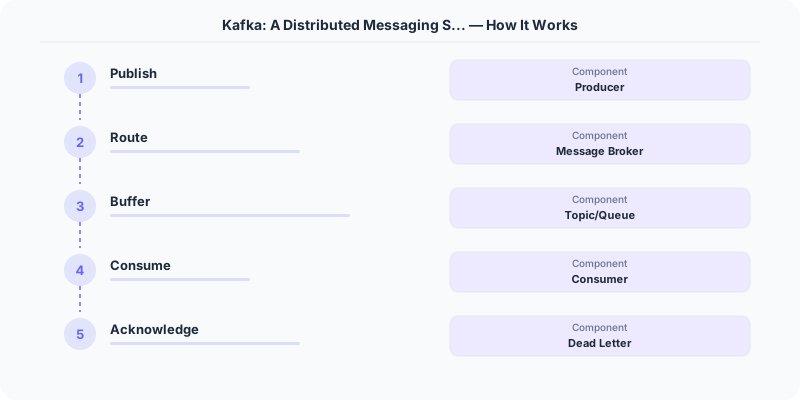
Consumer groups enable parallel consumption: each partition in a topic is assigned to exactly one consumer within a group, providing both parallelism and ordering guarantees within a partition. Different consumer groups can independently read the same topic at different speeds, enabling multiple downstream systems to consume from one data stream.
Partitions are replicated across brokers for fault tolerance. One replica is the leader (handles all reads and writes), and others are followers that replicate the leader's log. If the leader fails, a follower is promoted. ZooKeeper (later replaced by KRaft) manages broker coordination and leader election.
Architecture / Algorithm
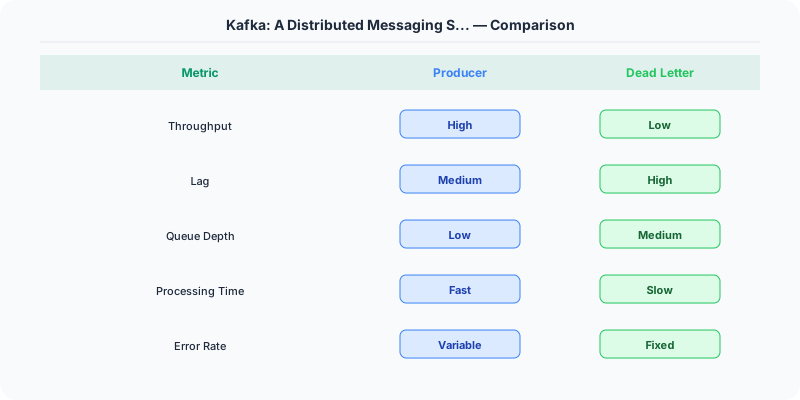
- Topics and Partitions: Logical streams divided into ordered partitions for parallelism.
- Append-Only Log: Messages are immutable once written; retention is time-based or size-based.
- Offsets: Consumers track their own position, enabling replay and independent consumption.
- Consumer Groups: Partition-level assignment provides ordered, parallel consumption.
- Replication: Each partition has configurable replication factor; ISR (in-sync replicas) ensures durability.
- Zero-Copy Transfer: Kafka uses OS-level sendfile() to transfer data from disk to network without copying through user space.
Strengths
- Massive throughput: sequential disk I/O + zero-copy + batching
- Decouples producers from consumers: each consumer reads at its own pace
- Built-in replay: consumers can rewind to any offset
- Horizontal scaling by adding partitions and brokers
Weaknesses
- Ordering only guaranteed within a single partition, not across partitions
- Consumer rebalancing during scaling can cause brief processing pauses
- Not designed for low-latency point-to-point messaging (use RabbitMQ or NATS for that)
- Operational complexity: managing partition count, replication, and retention policies
Modern Systems Influenced
Apache Kafka itself became a cornerstone of modern data infrastructure. Amazon Kinesis, Azure Event Hubs, and Google Pub/Sub adopted similar log-based designs. Kafka Streams and ksqlDB extended the model to stream processing. Redpanda reimplemented Kafka's protocol in C++ for better performance. The concept of an event log as the source of truth influenced event sourcing and CQRS architectures broadly.
Interview Relevance
Reference Kafka when designing notification systems, activity feeds, log aggregation, or event-driven architectures. Know the difference between topics and partitions, how consumer groups provide parallel processing, and why append-only logs are fast (sequential I/O). Be ready to discuss the tradeoff between partition count (parallelism) and ordering guarantees.
Plain-English Summary
Kafka is a distributed log where producers append events to ordered partitions and consumers read at their own pace by tracking an offset. Because messages are just appended to disk sequentially and the broker does not track per-message delivery, Kafka achieves massive throughput. Consumer groups split partitions among members for parallel processing, while different groups can independently consume the same stream.
Original DosiBridge notes for Kafka: A Distributed Messaging System for Log Processing
This section is written specifically for this page, not copied from a general system-design checklist. The useful way to study Kafka: A Distributed Messaging System for Log Processing is to connect the concept to an asynchronous workflow where replay, ordering, and poison messages shape the architecture. That framing changes the design discussion from definitions to operating choices.
What makes this topic distinct
- Practice Loop: For Kafka: A Distributed Messaging System for Log Processing, decide the practice loop before choosing tools; otherwise the design looks clean but fails when kafka changes.
- Implementation Exercise: For Kafka: A Distributed Messaging System for Log Processing, decide the implementation exercise before choosing tools; otherwise the design looks clean but fails when paper changes.
- Review Checkpoint: For Kafka: A Distributed Messaging System for Log Processing, decide the review checkpoint before choosing tools; otherwise the design looks clean but fails when kafka changes.
- Failure Drill: For Kafka: A Distributed Messaging System for Log Processing, decide the failure drill before choosing tools; otherwise the design looks clean but fails when paper changes.
- Comparison Target: For Kafka: A Distributed Messaging System for Log Processing, decide the comparison target before choosing tools; otherwise the design looks clean but fails when kafka changes.
Production review question
If a team adopts Kafka: A Distributed Messaging System for Log Processing, what observable signal proves it helped instead of only making the architecture diagram more fashionable?
Practical metric to track
Track kafka-paper health as a named dashboard or review item: combine one user-facing metric, one saturation metric, and one correctness metric. For Kafka: A Distributed Messaging System for Log Processing, this keeps the discussion grounded in behavior that can be measured after deployment instead of generic advice that sounds good in an interview but never gets verified.