Serialization Formats: JSON, Protobuf, Avro and MessagePack
Compare serialization formats for system design: JSON, Protobuf, Avro, MessagePack, schemas, compatibility, payload size, and latency tradeoffs.
Quick answer: Serialization Formats: JSON, Protobuf, Avro and MessagePack
Serialization Formats: JSON, Protobuf, Avro and MessagePack is covered here as a practical system design concept. Compare serialization formats for system design: JSON, Protobuf, Avro, MessagePack, schemas, compatibility, payload size, and latency tradeoffs. Use it to understand the Networking idea, where it appears in production systems, and how to discuss it clearly in interviews.
Focus on the problem being solved, the main design choice, the failure mode, and the tradeoff you would defend in front of a senior engineer. This page is part of the DosiBridge system design knowledge graph, so it links related concepts, interview problems, tradeoffs, and references instead of leaving the topic isolated.
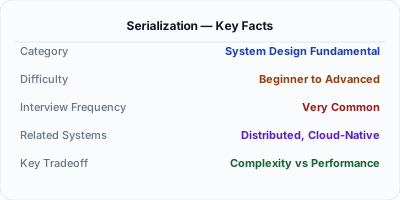
Serialization converts in-memory objects into a byte format that can be stored or transmitted; deserialization reverses the process. JSON is the default for REST APIs (human-readable, universally supported). Protocol Buffers and Avro are binary formats used for internal service communication (5-10x smaller, 10-100x faster to parse). The choice of serialization format affects payload size, parsing speed, schema evolution, and cross-language compatibility — making it a foundational decision in distributed system design.
| Aspect | Details |
|---|---|
| What it is | The process of converting objects to bytes for transfer or storage, and the inverse (deserialization) to reconstruct the original object |
| When to use | Every distributed system — API responses, message queue payloads, cache storage, database writes, cross-service communication |
| When NOT to use | In-process communication within a single service — no serialization needed when data stays in memory |
| Real-world example | LinkedIn uses Avro for all Kafka messages — schema evolution with backward/forward compatibility enables 2000+ microservices to evolve independently |
| Interview tip | Compare JSON (readable, universal) vs Protobuf (fast, typed) vs Avro (schema evolution) — show you understand the tradeoff spectrum |
| Common mistake | Using JSON for high-throughput internal communication — binary formats like Protobuf are 5-10x smaller and 10-100x faster to parse |
| Key tradeoff | Human readability and debugging ease (JSON) vs performance and type safety (binary formats like Protobuf) |
Why This Matters
Serialization happens on every network call, every cache write, and every message queue publish. At 100K requests per second, the difference between JSON (1ms to parse) and Protobuf (0.01ms to parse) is 100 seconds of CPU time per second — that is the difference between 10 servers and 100 servers. Beyond performance, schema evolution matters: how do you add a field to a message without breaking existing consumers? Avro and Protobuf handle this natively. JSON requires ad-hoc versioning. The serialization format is one of the highest-impact infrastructure decisions in a distributed system.
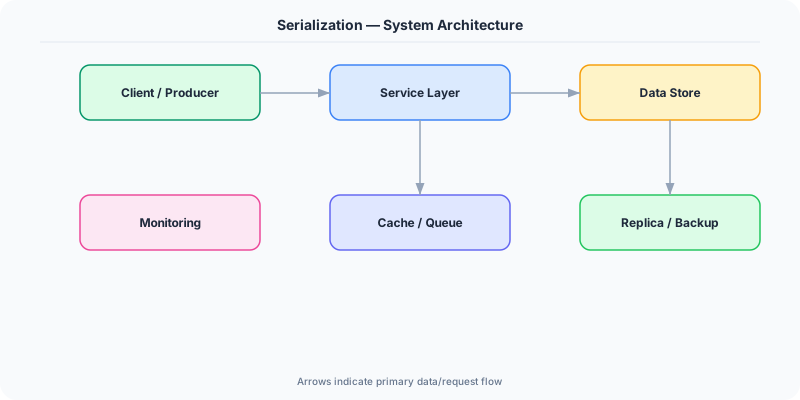
The Building Blocks
- JSON: Text-based, human-readable, universally supported. No schema required. Slow to parse and large on the wire. The default for REST APIs and browser communication.
- Protocol Buffers: Google's binary format with .proto schema files. 3-10x smaller than JSON, 10-100x faster to parse. Requires code generation. Schema evolution via field numbers.
- Apache Avro: Binary format with schema stored alongside data. Used extensively with Kafka. Supports schema evolution with schema registry. Popular in data engineering pipelines.
- MessagePack: Binary format that is backward-compatible with JSON (same data model) but 30-50% smaller and faster. Drop-in replacement for JSON in many cases.
- Schema Registry: A centralized service (like Confluent Schema Registry) that stores and validates schemas, ensuring producers and consumers agree on message format and enabling safe schema evolution.
Under the Hood
When an application serializes an object, the serializer walks the object graph and converts each field to its wire format. For JSON, this means writing field names as strings ("user_id": 12345) — the field name is repeated in every message. For Protobuf, field names are replaced by numeric tags (field 1 = 12345) — the schema maps tag numbers to names at compile time, so the wire format contains only tag numbers and values.
This is why Protobuf is smaller: a JSON object with 10 string field names averaging 15 characters wastes 150 bytes on names alone. Protobuf uses 1-2 bytes per field tag. For a message sent millions of times, this difference is enormous.
Schema evolution is the critical long-term concern. If service A adds a new field to its messages, service B (still running old code) must not break. Protobuf handles this naturally: old code ignores unknown field tags. Avro uses schema compatibility rules (backward, forward, full) enforced by a schema registry. JSON has no built-in evolution mechanism — consumers must be coded defensively to ignore unknown fields and handle missing ones.
How Companies Actually Do This
LinkedIn standardized on Avro for all Kafka messages with a centralized schema registry. This enables 2000+ microservices to evolve message schemas independently with guaranteed compatibility.
Google uses Protocol Buffers for all internal communication. Every Google service speaks Protobuf. The format was designed for Google's scale — billions of messages per second across data centers.
Uber uses a mix: JSON for external APIs (developer-friendly), Protobuf for internal gRPC calls (performance), and Avro for Kafka streams (schema evolution with schema registry).
Common Pitfalls
- Using JSON for high-throughput internal service communication — the parsing overhead at scale wastes significant CPU compared to binary alternatives
- Changing Protobuf field numbers or Avro field names — this breaks backward compatibility. Add new fields with new numbers; never reuse deleted field numbers
- Not using a schema registry with Avro — without schema validation, a producer can send incompatible messages that crash consumers downstream
Interview Questions Worth Practicing
- When would you choose Protobuf over JSON for a microservices architecture?
- How does schema evolution work in Protocol Buffers vs Apache Avro?
- What is the performance difference between JSON and binary serialization, and when does it matter?
The Tradeoffs
- Readability vs Performance: JSON is human-readable and debuggable with curl, but 5-10x larger and 10-100x slower than binary formats. Binary requires tooling to inspect.
- Schema Enforcement vs Flexibility: Protobuf/Avro enforce schemas at compile or registry level, catching errors early. JSON's schema-free nature is flexible but errors surface at runtime.
- Ecosystem vs Efficiency: JSON is supported everywhere (browsers, languages, tools). Binary formats require code generation, schema management, and language-specific libraries.
How to Explain This in an Interview
Here is how I would explain Serialization in a system design interview:
Serialization converts objects to bytes for network transfer. For external APIs, I use JSON — it is universal, human-readable, and every client supports it. For internal service-to-service communication at high throughput, I switch to Protocol Buffers — they are 5-10x more compact and faster because field names are replaced by numeric tags. For Kafka message streams where schema evolution is critical, I use Avro with a schema registry so producers and consumers can evolve independently. The key decision point is traffic volume: at 100 QPS, JSON overhead is negligible. At 100K QPS, the CPU savings from Protobuf pay for the schema management overhead many times over.
Related Topics
Original DosiBridge notes for Serialization Formats: JSON, Protobuf, Avro and MessagePack
This section is written specifically for this page, not copied from a general system-design checklist. The useful way to study Serialization Formats: JSON, Protobuf, Avro and MessagePack is to connect the concept to a production service where growth exposes the first weak assumption in the original design. That framing changes the design discussion from definitions to operating choices.
What makes this topic distinct
- Packet Path: For Serialization Formats: JSON, Protobuf, Avro and MessagePack, decide the packet path before choosing tools; otherwise the design looks clean but fails when serialization changes.
- Timeout Budget: For Serialization Formats: JSON, Protobuf, Avro and MessagePack, decide the timeout budget before choosing tools; otherwise the design looks clean but fails when serialization changes.
- TLS Boundary: For Serialization Formats: JSON, Protobuf, Avro and MessagePack, decide the TLS boundary before choosing tools; otherwise the design looks clean but fails when serialization changes.
- Proxy Behavior: For Serialization Formats: JSON, Protobuf, Avro and MessagePack, decide the proxy behavior before choosing tools; otherwise the design looks clean but fails when serialization changes.
- Backpressure: For Serialization Formats: JSON, Protobuf, Avro and MessagePack, decide the backpressure before choosing tools; otherwise the design looks clean but fails when serialization changes.
Production review question
If a team adopts Serialization Formats: JSON, Protobuf, Avro and MessagePack, what observable signal proves it helped instead of only making the architecture diagram more fashionable?
Practical metric to track
Track serialization health as a named dashboard or review item: combine one user-facing metric, one saturation metric, and one correctness metric. For Serialization Formats: JSON, Protobuf, Avro and MessagePack, this keeps the discussion grounded in behavior that can be measured after deployment instead of generic advice that sounds good in an interview but never gets verified.