WebRTC: Real-Time Video, Audio, NAT Traversal and SFU Design
Understand WebRTC system design: peer connections, ICE, STUN, TURN, SFU architecture, media routing, latency, and scaling real-time video.
Quick answer: WebRTC: Real-Time Video, Audio, NAT Traversal and SFU Design
WebRTC: Real-Time Video, Audio, NAT Traversal and SFU Design is covered here as a practical system design concept. Understand WebRTC system design: peer connections, ICE, STUN, TURN, SFU architecture, media routing, latency, and scaling real-time video. Use it to understand the APIs idea, where it appears in production systems, and how to discuss it clearly in interviews.
Focus on the problem being solved, the main design choice, the failure mode, and the tradeoff you would defend in front of a senior engineer. This page is part of the DosiBridge system design knowledge graph, so it links related concepts, interview problems, tradeoffs, and references instead of leaving the topic isolated.
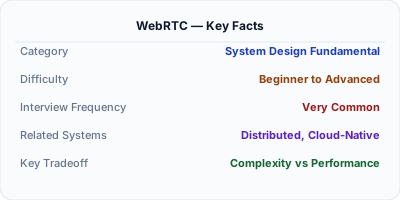
WebRTC (Web Real-Time Communication) enables browsers and mobile apps to exchange audio, video, and arbitrary data directly peer-to-peer, without routing media through a server. Google Meet, Discord, and Zoom all use WebRTC for their real-time communication. The key challenge is NAT traversal — most devices are behind firewalls and do not have public IPs, so WebRTC uses STUN/TURN servers to establish connections. For group calls with many participants, an SFU (Selective Forwarding Unit) relays media streams efficiently.
| Aspect | Details |
|---|---|
| What it is | A browser API for peer-to-peer real-time audio, video, and data transfer without plugins |
| When to use | Video calling, screen sharing, peer-to-peer file transfer, real-time gaming, live streaming to small groups |
| When NOT to use | One-to-many broadcast (use HLS/DASH CDN instead), non-real-time communication, large file transfers (use HTTP) |
| Real-world example | Google Meet handles 100M+ daily participants using WebRTC with SFU architecture for group calls |
| Interview tip | Explain the signaling → ICE negotiation → DTLS handshake → media flow sequence |
| Common mistake | Assuming peer-to-peer works for all scenarios — group calls need an SFU, and corporate firewalls block UDP requiring TURN relay |
| Key tradeoff | Latency (sub-second P2P) vs scalability (P2P fails beyond ~4 participants, SFU needed for groups) |
Why This Matters
Any system design involving real-time video, voice, or screen sharing uses WebRTC. It is the only standard that provides sub-200ms latency media delivery in browsers. Understanding WebRTC's architecture — signaling servers, STUN/TURN for NAT traversal, SFUs for group calls — is essential for designing systems like Zoom, Google Meet, or Discord. Interviewers who ask "design a video calling app" expect you to know the WebRTC building blocks.
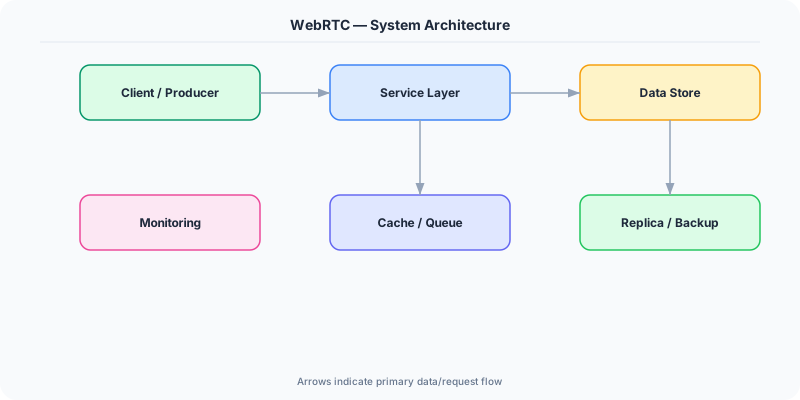
The Building Blocks
- Signaling Server: Coordinates connection setup between peers — exchanges SDP offers/answers (codec info, media types) and ICE candidates (network paths). Uses WebSocket or HTTP. Does NOT carry media.
- STUN Server: Helps peers discover their public IP and port by sending a request to the STUN server, which reflects back the observed address. Works for ~85% of NATs (symmetric NATs are the exception).
- TURN Server: Relays media when direct P2P is impossible (symmetric NATs, corporate firewalls). All media flows through TURN, adding latency and bandwidth cost. ~15% of connections need TURN.
- SFU (Selective Forwarding Unit): For group calls: each participant sends their stream once to the SFU, which selectively forwards streams to other participants. Scales to 50+ participants vs P2P mesh which breaks at ~4.
- ICE Framework: Interactive Connectivity Establishment gathers all possible network paths (local, STUN-discovered, TURN relay), tests connectivity, and picks the best working path. Uses UDP by default, falls back to TCP.
Under the Hood
WebRTC connection setup follows a precise sequence: First, the signaling server exchanges SDP (Session Description Protocol) offers between peers, describing supported codecs, media types, and encryption parameters. Simultaneously, both peers gather ICE candidates — local addresses, STUN-discovered public addresses, and TURN relay addresses. The ICE framework tests connectivity between all candidate pairs and selects the lowest-latency working path.
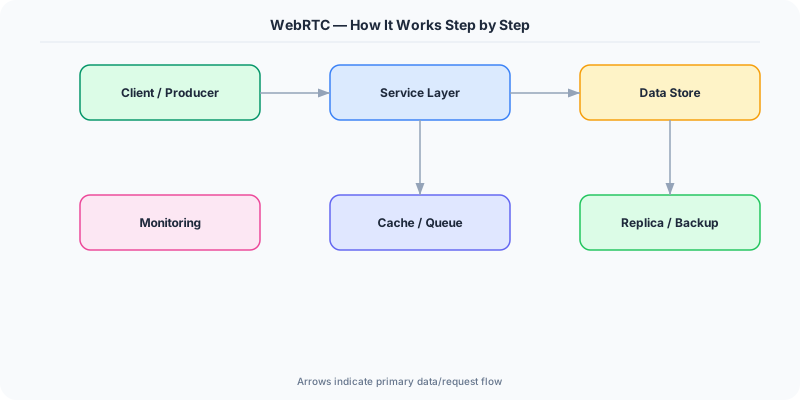
Once connected, a DTLS handshake establishes encryption keys (all WebRTC media is encrypted by default). Audio uses the Opus codec (low latency, adaptive bitrate), video uses VP8/VP9 or H.264. The SRTP protocol carries encrypted media over UDP for minimal latency. Adaptive bitrate algorithms adjust video quality based on measured bandwidth and packet loss.
For group calls, the SFU architecture is critical. In a 10-person call, each participant sends one video stream to the SFU. The SFU decides which streams to forward to each participant (e.g., only the active speaker at high quality, others as thumbnails). This reduces upstream bandwidth from 9 streams per person (mesh) to 1 stream per person.
How Companies Actually Do This
Google Meet processes 100M+ daily participants using WebRTC with a global SFU infrastructure. They contributed significantly to the WebRTC standard and Chrome's implementation.
Discord uses WebRTC for voice channels with custom congestion control algorithms. Their SFU infrastructure handles millions of concurrent voice connections with sub-100ms latency.
Zoom started with proprietary protocols but migrated to WebRTC for browser support. Their architecture uses a mix of SFU and MCU (Multipoint Control Unit) depending on call size and participant bandwidth.
Common Pitfalls
- Using peer-to-peer mesh for group calls — it breaks beyond 3-4 participants because each peer must encode and send N-1 streams, exhausting CPU and bandwidth
- Not deploying TURN servers — about 15% of users are behind symmetric NATs or corporate firewalls where direct P2P and STUN both fail
- Ignoring bandwidth estimation — sending high-resolution video to a mobile user on 3G degrades the entire call because packet loss causes retransmissions
Interview Questions Worth Practicing
- How would you design a video calling system that scales from 1-on-1 to 100-person calls?
- Why can't WebRTC work without STUN/TURN servers, and when is each needed?
- What is the difference between SFU and MCU architectures for group video calls?
The Tradeoffs
- P2P vs SFU: Direct peer-to-peer has the lowest latency and zero server cost, but breaks at 3-4 participants. An SFU adds server cost and a few ms of latency but scales to 100+ participants.
- UDP vs TCP Fallback: UDP gives the lowest latency for real-time media, but firewalls block it. TCP fallback (via TURN) works through any firewall but adds latency and head-of-line blocking.
- Quality vs Bandwidth: Adaptive bitrate reduces quality on poor connections to maintain low latency. The alternative — buffering for quality — adds seconds of delay, which is unacceptable for real-time conversation.
How to Explain This in an Interview
Here is how I would explain WebRTC in a system design interview:
For a video calling system, I would use WebRTC as the media transport layer. The architecture has three pieces: a signaling server (WebSocket-based) to exchange connection metadata, STUN/TURN servers for NAT traversal (about 15% of connections need TURN relay), and an SFU for group calls. For 1-on-1 calls, peers connect directly for minimum latency. For group calls, each participant sends one stream to the SFU, which selectively forwards relevant streams — the active speaker in high quality, others as thumbnails. This keeps per-participant bandwidth constant regardless of group size. I would deploy TURN servers in multiple regions because real-time media is extremely latency-sensitive.
Related Topics
Original DosiBridge notes for WebRTC: Real-Time Video, Audio, NAT Traversal and SFU Design
This section is written specifically for this page, not copied from a general system-design checklist. The useful way to study WebRTC: Real-Time Video, Audio, NAT Traversal and SFU Design is to connect the concept to a production service where growth exposes the first weak assumption in the original design. That framing changes the design discussion from definitions to operating choices.
What makes this topic distinct
- Contract Evolution: For WebRTC: Real-Time Video, Audio, NAT Traversal and SFU Design, decide the contract evolution before choosing tools; otherwise the design looks clean but fails when webrtc changes.
- Idempotency: For WebRTC: Real-Time Video, Audio, NAT Traversal and SFU Design, decide the idempotency before choosing tools; otherwise the design looks clean but fails when webrtc changes.
- Pagination: For WebRTC: Real-Time Video, Audio, NAT Traversal and SFU Design, decide the pagination before choosing tools; otherwise the design looks clean but fails when webrtc changes.
- Error Shape: For WebRTC: Real-Time Video, Audio, NAT Traversal and SFU Design, decide the error shape before choosing tools; otherwise the design looks clean but fails when webrtc changes.
- Consumer Compatibility: For WebRTC: Real-Time Video, Audio, NAT Traversal and SFU Design, decide the consumer compatibility before choosing tools; otherwise the design looks clean but fails when webrtc changes.
Production review question
If a team adopts WebRTC: Real-Time Video, Audio, NAT Traversal and SFU Design, what observable signal proves it helped instead of only making the architecture diagram more fashionable?
Practical metric to track
Track webrtc health as a named dashboard or review item: combine one user-facing metric, one saturation metric, and one correctness metric. For WebRTC: Real-Time Video, Audio, NAT Traversal and SFU Design, this keeps the discussion grounded in behavior that can be measured after deployment instead of generic advice that sounds good in an interview but never gets verified.