Domain Name System (DNS)
DNS is the first step of every web request. It affects latency, reliability, and can be used for load balancing (DNS-based routing).
Quick answer: Domain Name System (DNS)
Domain Name System (DNS) is covered here as a practical system design concept. DNS is the first step of every web request. It affects latency, reliability, and can be used for load balancing (DNS-based routing). Use it to understand the Networking idea, where it appears in production systems, and how to discuss it clearly in interviews.
Focus on the problem being solved, the main design choice, the failure mode, and the tradeoff you would defend in front of a senior engineer. This page is part of the DosiBridge system design knowledge graph, so it links related concepts, interview problems, tradeoffs, and references instead of leaving the topic isolated.
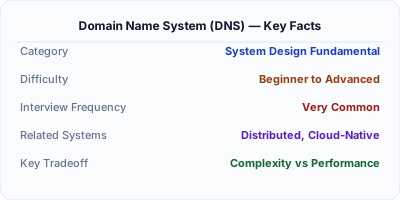
DNS is the internet's phone book — it translates human-readable domain names (google.com) into IP addresses (142.250.80.46) that computers use to route traffic. DNS is a hierarchical, distributed system that handles trillions of queries per day.
Why This Matters
DNS is the first step of every web request. It affects latency, reliability, and can be used for load balancing (DNS-based routing). DNS failures can take down entire services — Dyn DNS attack in 2016 took down Twitter, Netflix, and Reddit simultaneously.
The Building Blocks
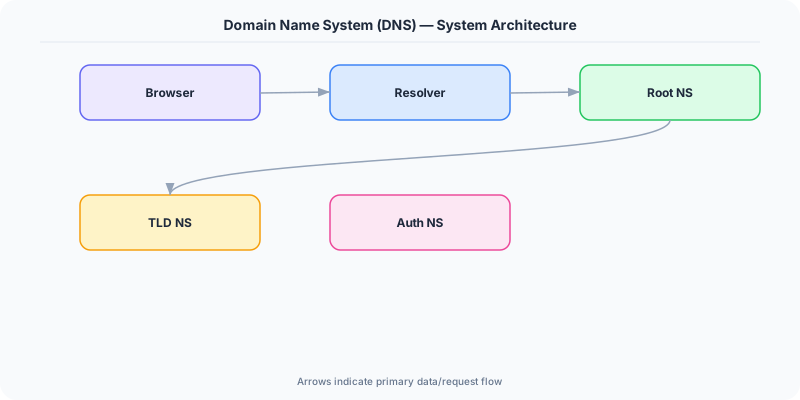
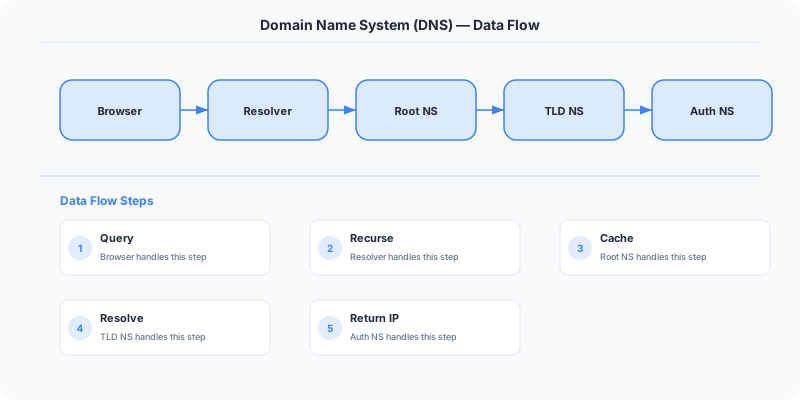
- DNS hierarchy: Root servers → TLD servers (.com, .org) → Authoritative nameservers → Your DNS record.
- Record types: A (IPv4), AAAA (IPv6), CNAME (alias), MX (mail), TXT (verification), NS (nameserver).
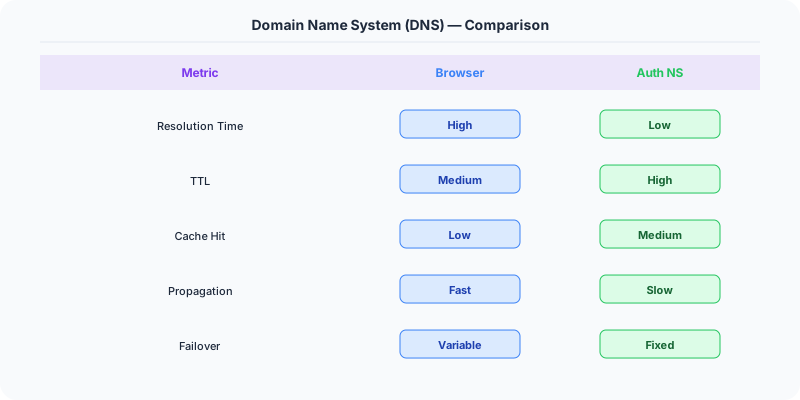
- TTL (Time to Live): How long a DNS response is cached. Low TTL (60s) enables fast failover; high TTL (86400s) reduces DNS load.
- DNS caching: Browsers, OS, ISPs, and recursive resolvers all cache DNS. This is why DNS changes take time to propagate.
- DNS-based load balancing: Return different IPs for the same domain to distribute traffic across servers or regions.
Under the Hood
When you type google.com:
- Browser checks its DNS cache.
- If not cached, asks the OS resolver.
- OS asks the configured recursive resolver (usually your ISP or 8.8.8.8).
- Recursive resolver asks root server → .com TLD → google.com authoritative nameserver.
- Gets the IP address, caches it for TTL duration, returns to browser.
- Browser connects to the IP address.
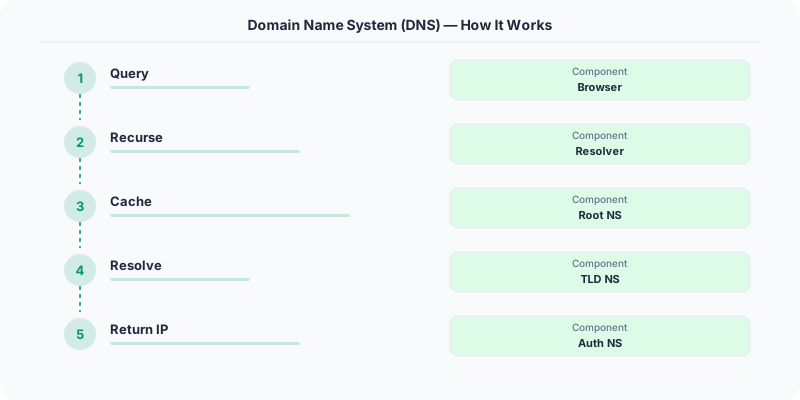
This entire process takes 20-120ms for uncached queries. Cached queries resolve in <1ms.
How Companies Actually Do This
Cloudflare DNS (1.1.1.1): One of the fastest public DNS resolvers, with a global average of 11ms resolution time.
AWS Route 53: Supports latency-based routing (route to nearest region), weighted routing (A/B testing), and health-check failover.
Netflix: Uses DNS to route users to the nearest AWS region for the best streaming experience.
Common Pitfalls
- Setting TTL too high before a migration — makes rollback slow
- Not having a backup DNS provider — DNS is a single point of failure
- Forgetting that DNS changes propagate gradually due to caching
Interview Questions Worth Practicing
- How does DNS resolution work step by step?
- What happens when a DNS server goes down?
- How can DNS be used for load balancing?
- What is TTL and how does it affect system reliability?
The Tradeoffs
- Low TTL vs High TTL: Low TTL enables fast failover but increases DNS query volume. High TTL reduces queries but slows down changes.
- DNS load balancing vs hardware LB: DNS LB is simple but lacks health checking; hardware LB is smarter but more expensive.
Related Topics
Original DosiBridge notes for Domain Name System (DNS)
This section is written specifically for this page, not copied from a general system-design checklist. The useful way to study Domain Name System (DNS) is to connect the concept to a production service where growth exposes the first weak assumption in the original design. That framing changes the design discussion from definitions to operating choices.
What makes this topic distinct
- Packet Path: For Domain Name System (DNS), decide the packet path before choosing tools; otherwise the design looks clean but fails when dns changes.
- Timeout Budget: For Domain Name System (DNS), decide the timeout budget before choosing tools; otherwise the design looks clean but fails when dns changes.
- TLS Boundary: For Domain Name System (DNS), decide the TLS boundary before choosing tools; otherwise the design looks clean but fails when dns changes.
- Proxy Behavior: For Domain Name System (DNS), decide the proxy behavior before choosing tools; otherwise the design looks clean but fails when dns changes.
- Backpressure: For Domain Name System (DNS), decide the backpressure before choosing tools; otherwise the design looks clean but fails when dns changes.
Production review question
If a team adopts Domain Name System (DNS), what observable signal proves it helped instead of only making the architecture diagram more fashionable?
Practical metric to track
Track dns health as a named dashboard or review item: combine one user-facing metric, one saturation metric, and one correctness metric. For Domain Name System (DNS), this keeps the discussion grounded in behavior that can be measured after deployment instead of generic advice that sounds good in an interview but never gets verified.