Design a Collaborative Code Editor
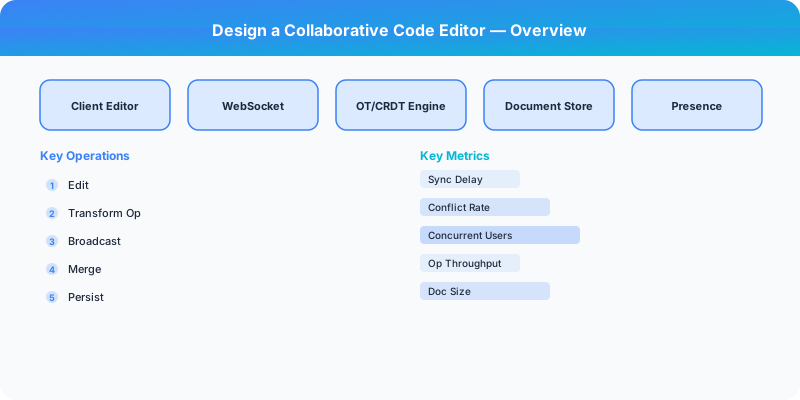
Design a collaborative code editor with real-time sync (CRDT/OT), code execution sandbox, syntax highlighting, and multi-cursor collaboration.
Quick answer: Design a Collaborative Code Editor
Design a Collaborative Code Editor is covered here as a practical system design interview problem. Design a collaborative code editor with real-time sync (CRDT/OT), code execution sandbox, syntax highlighting, and multi-cursor collaboration. Use it to practice requirements, APIs, storage choices, scaling bottlenecks, data consistency, observability, and failure handling for a medium interview round.
Focus on the problem being solved, the main design choice, the failure mode, and the tradeoff you would defend in front of a senior engineer. This page is part of the DosiBridge system design knowledge graph, so it links related concepts, interview problems, tradeoffs, and references instead of leaving the topic isolated.
Problem Statement
Design a collaborative online code editor (like VS Code in the browser or Replit) where multiple users edit the same file simultaneously with real-time sync, see each other's cursors, run code in a sandboxed environment, and see output/errors. Must handle concurrent edits without conflicts and provide sub-100ms sync latency.
Requirements
Functional
- Real-time collaborative editing: multiple users edit the same document simultaneously
- Show each collaborator's cursor position and selection in a distinct color
- Syntax highlighting and autocompletion for 20+ programming languages
- Code execution: run code in an isolated sandbox and stream stdout/stderr back
Non-Functional
- Latency: Edits visible to all collaborators within 100ms (same region), 300ms (cross-region)
- Consistency: All users converge to the same document state -- no lost edits
- Scale: 10M documents, 100K concurrent editing sessions, up to 50 users per document
- Security: Code execution must be fully sandboxed (no host access, CPU/memory limits)
Core Architecture
-
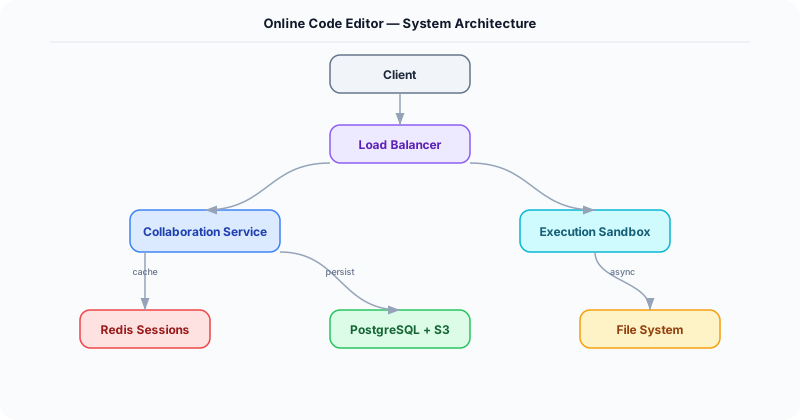
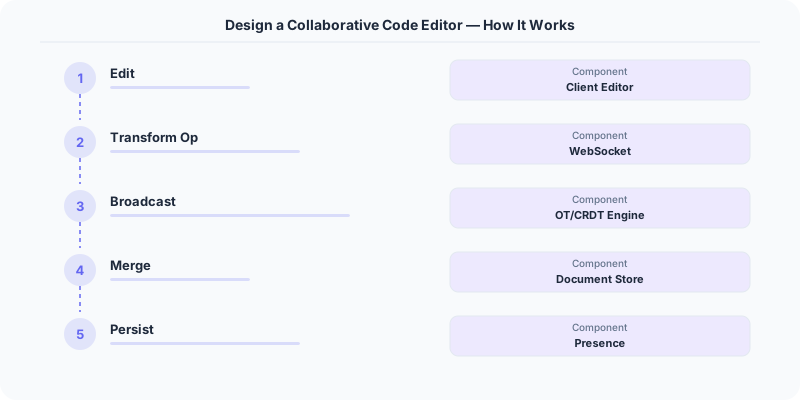
Collaboration Engine (CRDT/OT) -- Each document uses a CRDT (Conflict-free Replicated Data Type), specifically a sequence CRDT like Yjs or Automerge. Every character insertion/deletion is a CRDT operation with a unique ID. Operations from different users are merged deterministically without a central authority. The server acts as a relay and persistence layer, not an arbiter.
-
WebSocket Gateway -- Manages persistent WebSocket connections for each editing session. Broadcasts CRDT operations from one user to all other collaborators in the same document. Also relays cursor position updates (ephemeral, not persisted). Handles user join/leave events and presence indicators.
-
Code Execution Sandbox -- Each execution request spins up an ephemeral container (gVisor/Firecracker microVM) with: the user's code files mounted read-only, the selected language runtime installed, CPU limit (1 core), memory limit (256 MB), network disabled, and a 30-second timeout. Stdout/stderr are streamed back to the client via WebSocket.
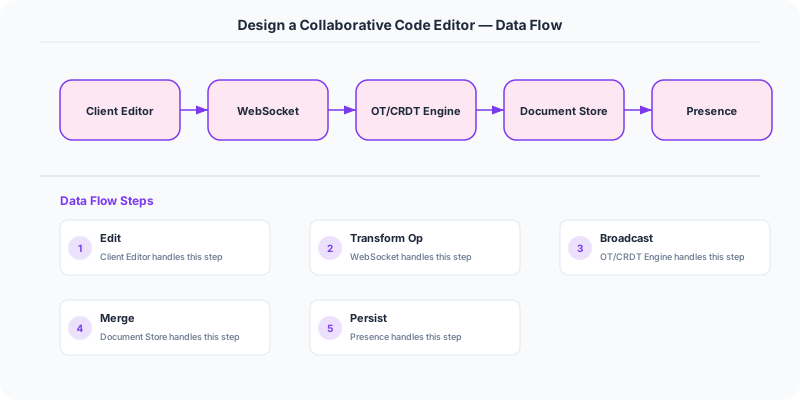
- Document Storage Service -- Periodically snapshots the CRDT state to persistent storage (S3 for the CRDT binary + PostgreSQL for metadata). Snapshots happen every 30 seconds during active editing or on the last user disconnecting. On reconnection, the client loads the latest snapshot and replays any operations since.
Database Choice
PostgreSQL for document metadata (owner, collaborators, language, created_at, last_modified). S3 for CRDT binary snapshots and execution artifacts. Redis for ephemeral session state: active users per document, cursor positions, and the operation buffer (last 1000 ops for late-joining users). The CRDT itself is the source of truth for document content -- no traditional text storage needed.
Key API Endpoints
WebSocket /ws/documents/\{doc_id\}
  -> Client sends: \{ type: "operation", ops: [...crdt_ops...] \}
  -> Server broadcasts: \{ type: "operation", user_id: "U2", ops: [...] \}
  -> Client sends: \{ type: "cursor", position: \{ line: 10, col: 5 \} \}

POST /api/v1/documents/\{doc_id\}/execute
  -> Body: \{ language: "python", entry_file: "main.py" \}
  -> Returns (streamed): \{ type: "stdout", data: "Hello World\n" \} ... \{ type: "exit", code: 0 \}
Scaling Insight
CRDTs eliminate the central coordination bottleneck that plagues OT-based editors. With Operational Transformation, a central server must serialize and transform all concurrent operations -- becoming a single point of failure and a latency bottleneck. With CRDTs, the server is just a relay: it forwards operations without transforming them. Each client independently merges operations using the CRDT's mathematical merge rules. This means the server can be stateless and horizontally scaled -- any server can relay for any document.
Key Tradeoffs
| Decision | Option A | Option B | Chosen |
|---|---|---|---|
| Sync algorithm | Operational Transformation (OT) | CRDT (Yjs/Automerge) | CRDT -- no central transform server needed, scales better, works offline |
| Code execution | Shared long-running VM | Ephemeral container per execution | Ephemeral -- stronger isolation, no state leakage between runs, simpler cleanup |
| Persistence | Save every keystroke | Periodic snapshots + op log | Snapshots every 30s -- balances durability with write efficiency |
Original DosiBridge notes for Design a Collaborative Code Editor
This section is written specifically for this page, not copied from a general system-design checklist. The useful way to study Design a Collaborative Code Editor is to connect the concept to a production service where growth exposes the first weak assumption in the original design. That framing changes the design discussion from definitions to operating choices.
What makes this topic distinct
- Core Entity: For Design a Collaborative Code Editor, decide the core entity before choosing tools; otherwise the design looks clean but fails when code changes.
- Read/Write Path: For Design a Collaborative Code Editor, decide the read/write path before choosing tools; otherwise the design looks clean but fails when editor changes.
- Contention Point: For Design a Collaborative Code Editor, decide the contention point before choosing tools; otherwise the design looks clean but fails when code changes.
- Abuse Path: For Design a Collaborative Code Editor, decide the abuse path before choosing tools; otherwise the design looks clean but fails when editor changes.
- Recovery Workflow: For Design a Collaborative Code Editor, decide the recovery workflow before choosing tools; otherwise the design looks clean but fails when code changes.
Design a Collaborative Code Editor correctness boundary
For this problem, separate the user-visible action from background work. The correctness boundary is the smallest state transition that must not be duplicated, lost, or reordered. Naming that boundary makes the solution more original than a stock API/database/cache template.
Design a Collaborative Code Editor scaling bottleneck
The first bottleneck should be described in the language of this system: a hot timeline, a contested seat, a busy wallet ledger, a media-processing queue, or a search index update delay. That bottleneck decides which component deserves the deepest interview discussion.
Production review question
If Design a Collaborative Code Editor suddenly receives 10x traffic, which entity becomes contested first, and what queue, lock, shard, or cache protects that entity without hiding correctness bugs?
Practical metric to track
Track code-editor health as a named dashboard or review item: combine one user-facing metric, one saturation metric, and one correctness metric. For Design a Collaborative Code Editor, this keeps the discussion grounded in behavior that can be measured after deployment instead of generic advice that sounds good in an interview but never gets verified.