Design a Web Crawler
Design a distributed web crawler with URL frontier, politeness policies, content deduplication, and distributed coordination.
Quick answer: Design a Web Crawler
Design a Web Crawler is covered here as a practical system design interview problem. Design a distributed web crawler with URL frontier, politeness policies, content deduplication, and distributed coordination. Use it to practice requirements, APIs, storage choices, scaling bottlenecks, data consistency, observability, and failure handling for a hard interview round.
Focus on the problem being solved, the main design choice, the failure mode, and the tradeoff you would defend in front of a senior engineer. This page is part of the DosiBridge system design knowledge graph, so it links related concepts, interview problems, tradeoffs, and references instead of leaving the topic isolated.
Problem Statement
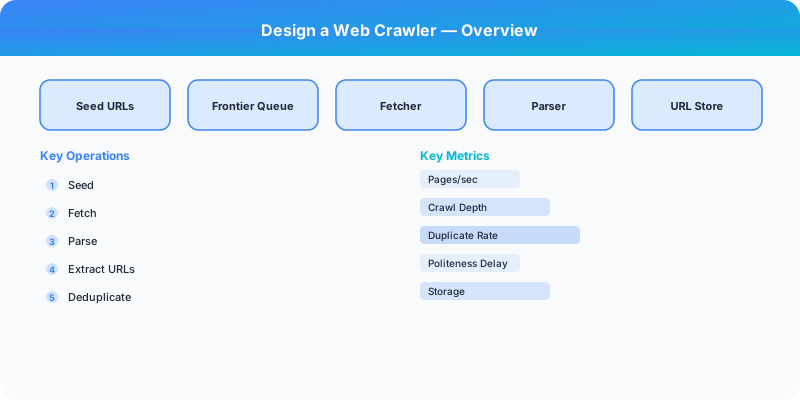
Design a distributed web crawler that systematically downloads web pages from the internet for indexing. The crawler must discover new URLs, respect robots.txt and rate limits (politeness), deduplicate content to avoid re-processing identical pages, prioritize important pages, and scale to crawl billions of pages per month.
Requirements
Functional
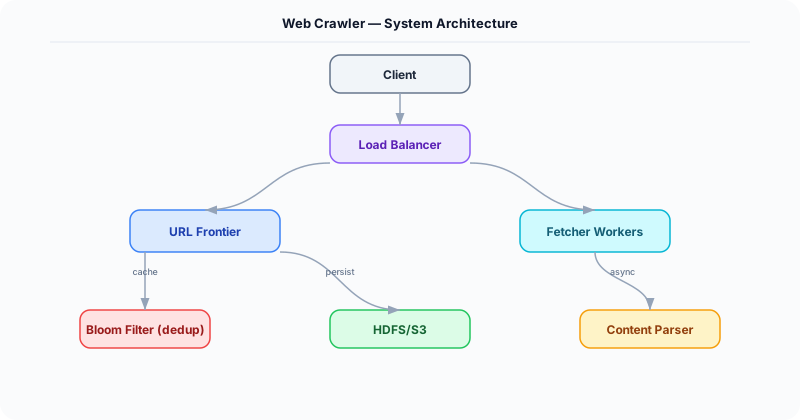
- Crawl web pages starting from a seed set of URLs; extract and follow links to discover new pages
- Respect robots.txt: honor crawl-delay directives and disallowed paths per domain
- Deduplicate: detect and skip pages with identical or near-identical content (Simhash)
- Prioritize: crawl high-value pages (news sites, popular domains) more frequently
Non-Functional
- Throughput: 1B pages/month (~400 pages/second sustained)
- Politeness: Max 1 request per domain per second (configurable per domain)
- Freshness: Important pages re-crawled within hours; long-tail pages within weeks
- Fault tolerance: Crawler nodes can fail without losing progress or re-crawling the same pages
Core Architecture
-
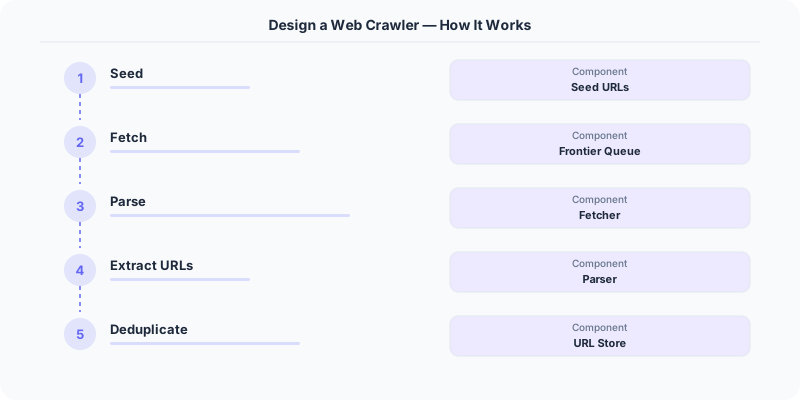
URL Frontier -- A priority queue of URLs to be crawled, partitioned by domain. Each domain has its own sub-queue with a scheduled "next allowed crawl time" enforcing politeness. The frontier uses a two-level priority: (a) front queue selects by priority (domain importance, freshness need), (b) back queue routes to the per-domain politeness queue. Backed by a combination of Redis (hot domains) and on-disk queue (long tail).
-
Fetcher Pool -- Distributed HTTP fetcher nodes. Each node pulls URLs from the frontier, respects the domain's crawl delay, downloads the page (with timeout and max size limits), and passes the raw HTML to the processing pipeline. Uses consistent hashing to assign domains to fetcher nodes -- ensuring one node handles one domain (prevents politeness violations from concurrent fetchers).
-
Content Processor -- Parses downloaded HTML: extracts text content, title, metadata, and outgoing links. Computes a Simhash (locality-sensitive hash) of the page content. Compares against a Simhash index to detect near-duplicates (Hamming distance <3 = duplicate). Non-duplicate pages are sent to the indexer; extracted URLs are sent back to the URL frontier.
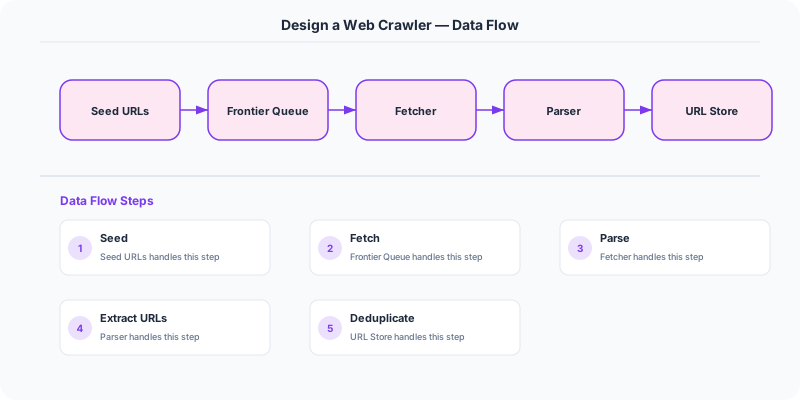
- URL Deduplication Store -- A Bloom filter (or Cuckoo filter) containing all previously-seen URLs. Before adding a URL to the frontier, check the filter. False positive rate of 1% is acceptable (worst case: we skip a valid URL, it will be discovered via another link). At 10B URLs, a Bloom filter requires ~1.2 GB of memory.
Database Choice
Redis for the hot portion of the URL frontier (active domains being crawled) and robots.txt cache (per domain, TTL 24 hours). RocksDB (on-disk) for the long-tail URL frontier and the Simhash index (10B entries). Kafka for the pipeline: fetcher -> processor -> indexer, with URLs-to-crawl as a separate topic flowing back to the frontier. S3 for raw HTML storage (archive of crawled pages).
Key API Endpoints
POST /api/v1/crawl/seeds
  -> Body: \{ urls: ["https://example.com", "https://news.site.com"], priority: "high" \}
  -> Returns: \{ accepted: 2, already_known: 0 \}

GET /api/v1/crawl/status
  -> Returns: \{ urls_in_frontier: 500M, pages_crawled_today: 35M, active_fetchers: 200, domains_active: 50K \}

GET /api/v1/crawl/domain/\{domain\}/stats
  -> Returns: \{ pages_crawled: 15000, last_crawl: "...", crawl_delay_sec: 2, robots_txt_cached: true \}
Scaling Insight
Domain-based partitioning with consistent hashing is the linchpin of the architecture. By assigning each domain to exactly one fetcher node (via consistent hashing of the domain name), you solve two problems simultaneously: (1) politeness is naturally enforced because only one node sends requests to each domain, and (2) robots.txt caching is efficient because each node only needs to cache robots.txt for its assigned domains. When a fetcher node fails, its domains are reassigned to other nodes via the hash ring, and crawling resumes from the frontier.
Key Tradeoffs
| Decision | Option A | Option B | Chosen |
|---|---|---|---|
| URL dedup | Hash set in database (exact) | Bloom filter (probabilistic) | Bloom filter -- 1000x less memory (1.2 GB vs 1.2 TB), 1% false positive acceptable |
| Content dedup | Exact hash (MD5) | Simhash (near-duplicate) | Simhash -- catches mirror sites and minor variations, much better dedup quality |
| Frontier storage | All in Redis (fast) | Redis + RocksDB (hybrid) | Hybrid -- Redis for hot domains, RocksDB for 500M+ long-tail URLs that do not fit in memory |
Original DosiBridge notes for Design a Web Crawler
This section is written specifically for this page, not copied from a general system-design checklist. The useful way to study Design a Web Crawler is to connect the concept to a production service where growth exposes the first weak assumption in the original design. That framing changes the design discussion from definitions to operating choices.
What makes this topic distinct
- Core Entity: For Design a Web Crawler, decide the core entity before choosing tools; otherwise the design looks clean but fails when web changes.
- Read/Write Path: For Design a Web Crawler, decide the read/write path before choosing tools; otherwise the design looks clean but fails when crawler changes.
- Contention Point: For Design a Web Crawler, decide the contention point before choosing tools; otherwise the design looks clean but fails when web changes.
- Abuse Path: For Design a Web Crawler, decide the abuse path before choosing tools; otherwise the design looks clean but fails when crawler changes.
- Recovery Workflow: For Design a Web Crawler, decide the recovery workflow before choosing tools; otherwise the design looks clean but fails when web changes.
Design a Web Crawler correctness boundary
For this problem, separate the user-visible action from background work. The correctness boundary is the smallest state transition that must not be duplicated, lost, or reordered. Naming that boundary makes the solution more original than a stock API/database/cache template.
Design a Web Crawler scaling bottleneck
The first bottleneck should be described in the language of this system: a hot timeline, a contested seat, a busy wallet ledger, a media-processing queue, or a search index update delay. That bottleneck decides which component deserves the deepest interview discussion.
Production review question
If Design a Web Crawler suddenly receives 10x traffic, which entity becomes contested first, and what queue, lock, shard, or cache protects that entity without hiding correctness bugs?
Practical metric to track
Track web-crawler health as a named dashboard or review item: combine one user-facing metric, one saturation metric, and one correctness metric. For Design a Web Crawler, this keeps the discussion grounded in behavior that can be measured after deployment instead of generic advice that sounds good in an interview but never gets verified.