Design Tinder
Design Tinder with geospatial matching, swipe queue generation, mutual like detection, and real-time chat. Covers GeoHash indexing and match algorithms.
Quick answer: Design Tinder
Design Tinder is covered here as a practical system design interview problem. Design Tinder with geospatial matching, swipe queue generation, mutual like detection, and real-time chat. Covers GeoHash indexing and match algorithms. Use it to practice requirements, APIs, storage choices, scaling bottlenecks, data consistency, observability, and failure handling for a medium interview round.
Focus on the problem being solved, the main design choice, the failure mode, and the tradeoff you would defend in front of a senior engineer. This page is part of the DosiBridge system design knowledge graph, so it links related concepts, interview problems, tradeoffs, and references instead of leaving the topic isolated.
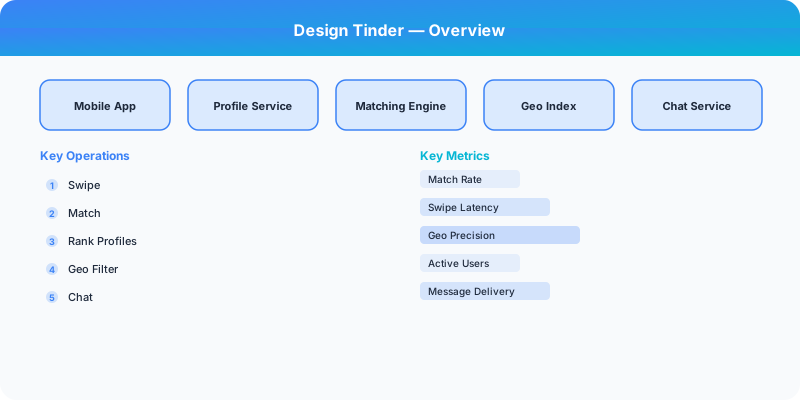
Problem Statement
Design a location-based dating app like Tinder where users swipe right (like) or left (pass) on profiles. The system must generate a queue of nearby potential matches based on location, age, and gender preferences, detect mutual likes to create matches, and enable real-time chat between matched users.
Requirements
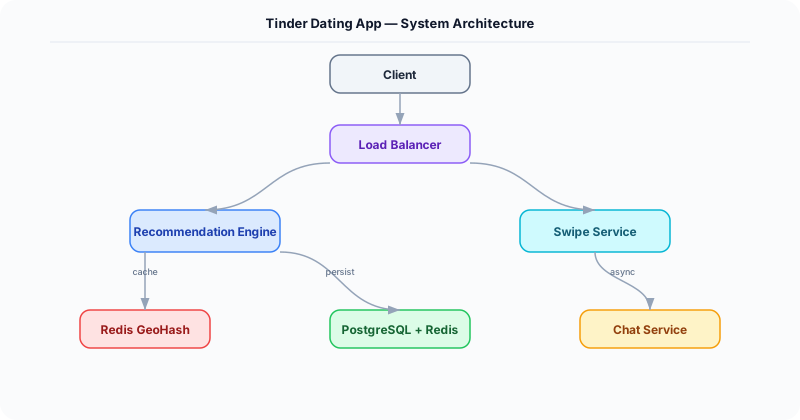
Functional
- Generate a swipe queue of nearby profiles filtered by distance (1-100 mi), age range, and gender preference
- Record swipe decisions (like/pass); detect mutual likes and create a match instantly
- Real-time chat between matched users via WebSocket
- Update user location periodically (every 5 minutes when app is open)
Non-Functional
- Latency: Swipe queue loads in <500ms with 50+ profiles prefetched
- Scale: 75M MAU, 10M DAU, 2B swipes/day, 50M matches/day
- Freshness: Location updates reflected in recommendations within 5 minutes
- Privacy: Exact location never exposed; only distance shown
Core Architecture
-
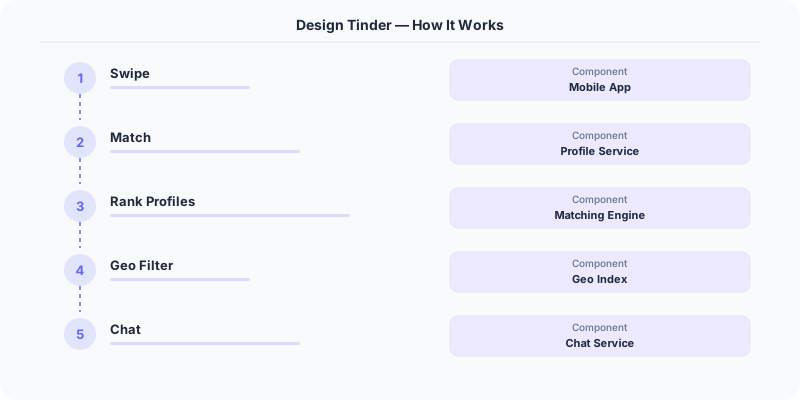
Recommendation Engine -- Generates the swipe queue per user. Queries a geospatial index (GeoHash in Redis) for users within the specified radius, filters by age/gender preferences, excludes already-swiped profiles (bloom filter), and ranks by a compatibility score (profile completeness, activity recency, Elo-like desirability score).
-
Swipe Processor -- Records each swipe in Kafka, then checks for mutual like: when user A likes user B, look up whether B already liked A (Redis SET lookup). If mutual, create a match record and push a notification to both users. Processes 25K swipes/second.
-
GeoHash Location Index -- Users' locations are stored as GeoHash strings in Redis (GEOADD). When a user opens the app, their location is updated. Nearby user queries use GEORADIUS with a configurable radius. GeoHash precision level 5 (~5km cells) balances accuracy with query performance.
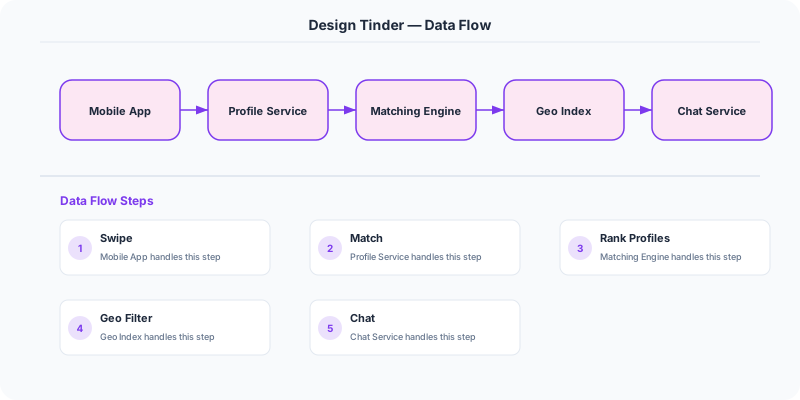
- Chat Service -- WebSocket-based messaging between matched users. Messages are persisted in Cassandra (partitioned by match_id, sorted by timestamp). Typing indicators and read receipts are handled in-memory at the WebSocket gateway without persistence.
Database Choice
PostgreSQL for user profiles, preferences, and match records -- relational queries for profile lookups and match history. Redis with GEO commands for location indexing -- GEOADD/GEORADIUS provide O(log N + M) proximity queries where M is the result count. Cassandra for swipe history (write-heavy: 2B/day) and chat messages. A Bloom filter (in Redis) per user tracks already-seen profiles to prevent showing the same person twice -- 1 MB per user supports 10M entries with 1% false positive rate.
Key API Endpoints
GET /api/v1/recommendations?limit=50
  -> Returns: \{ profiles: [\{ user_id: "U1", name: "...", photos: [...], distance_mi: 3.2, age: 28 \}] \}

POST /api/v1/swipe
  -> Body: \{ target_user_id: "U2", direction: "right" \}
  -> Returns: \{ match: true, match_id: "M-789" \} (or \{ match: false \})

POST /api/v1/messages/\{match_id\}
  -> Body: \{ text: "Hey!" \}
Scaling Insight
The Bloom filter for deduplication is the unsung hero. Without it, generating the swipe queue requires checking every candidate against the user's entire swipe history (potentially 100K+ entries). A 1 MB Bloom filter per active user provides O(1) "already seen?" checks with negligible false positive rate. For 10M DAU, this costs only 10 TB of Redis memory -- well worth the elimination of expensive database lookups on the hot path.
Key Tradeoffs
| Decision | Option A | Option B | Chosen |
|---|---|---|---|
| Geo index | PostGIS (SQL-based) | Redis GeoHash (in-memory) | Redis GeoHash -- sub-ms lookups, better for the real-time swipe queue hot path |
| Match detection | Batch check (every N minutes) | Real-time on each swipe | Real-time -- instant match notification is core to the product experience |
| Queue generation | On-demand per request | Pre-computed batch | Pre-computed with on-demand refresh -- amortizes expensive geo queries, queues refilled async |
Original DosiBridge notes for Design Tinder
This section is written specifically for this page, not copied from a general system-design checklist. The useful way to study Design Tinder is to connect the concept to a production service where growth exposes the first weak assumption in the original design. That framing changes the design discussion from definitions to operating choices.
What makes this topic distinct
- Core Entity: For Design Tinder, decide the core entity before choosing tools; otherwise the design looks clean but fails when tinder changes.
- Read/Write Path: For Design Tinder, decide the read/write path before choosing tools; otherwise the design looks clean but fails when tinder changes.
- Contention Point: For Design Tinder, decide the contention point before choosing tools; otherwise the design looks clean but fails when tinder changes.
- Abuse Path: For Design Tinder, decide the abuse path before choosing tools; otherwise the design looks clean but fails when tinder changes.
- Recovery Workflow: For Design Tinder, decide the recovery workflow before choosing tools; otherwise the design looks clean but fails when tinder changes.
Design Tinder correctness boundary
For this problem, separate the user-visible action from background work. The correctness boundary is the smallest state transition that must not be duplicated, lost, or reordered. Naming that boundary makes the solution more original than a stock API/database/cache template.
Design Tinder scaling bottleneck
The first bottleneck should be described in the language of this system: a hot timeline, a contested seat, a busy wallet ledger, a media-processing queue, or a search index update delay. That bottleneck decides which component deserves the deepest interview discussion.
Production review question
If Design Tinder suddenly receives 10x traffic, which entity becomes contested first, and what queue, lock, shard, or cache protects that entity without hiding correctness bugs?
Practical metric to track
Track tinder health as a named dashboard or review item: combine one user-facing metric, one saturation metric, and one correctness metric. For Design Tinder, this keeps the discussion grounded in behavior that can be measured after deployment instead of generic advice that sounds good in an interview but never gets verified.